Version 1.0, by Coffee. Needs Coffee 2.1 or later.
Publish This Note sends the open note to your WordPress, Ghost or Micro.blog site, as a draft or a post: its first heading becomes the title, and headings, links, pictures, lists, quotes and code come along. Publish again and the same post is updated.
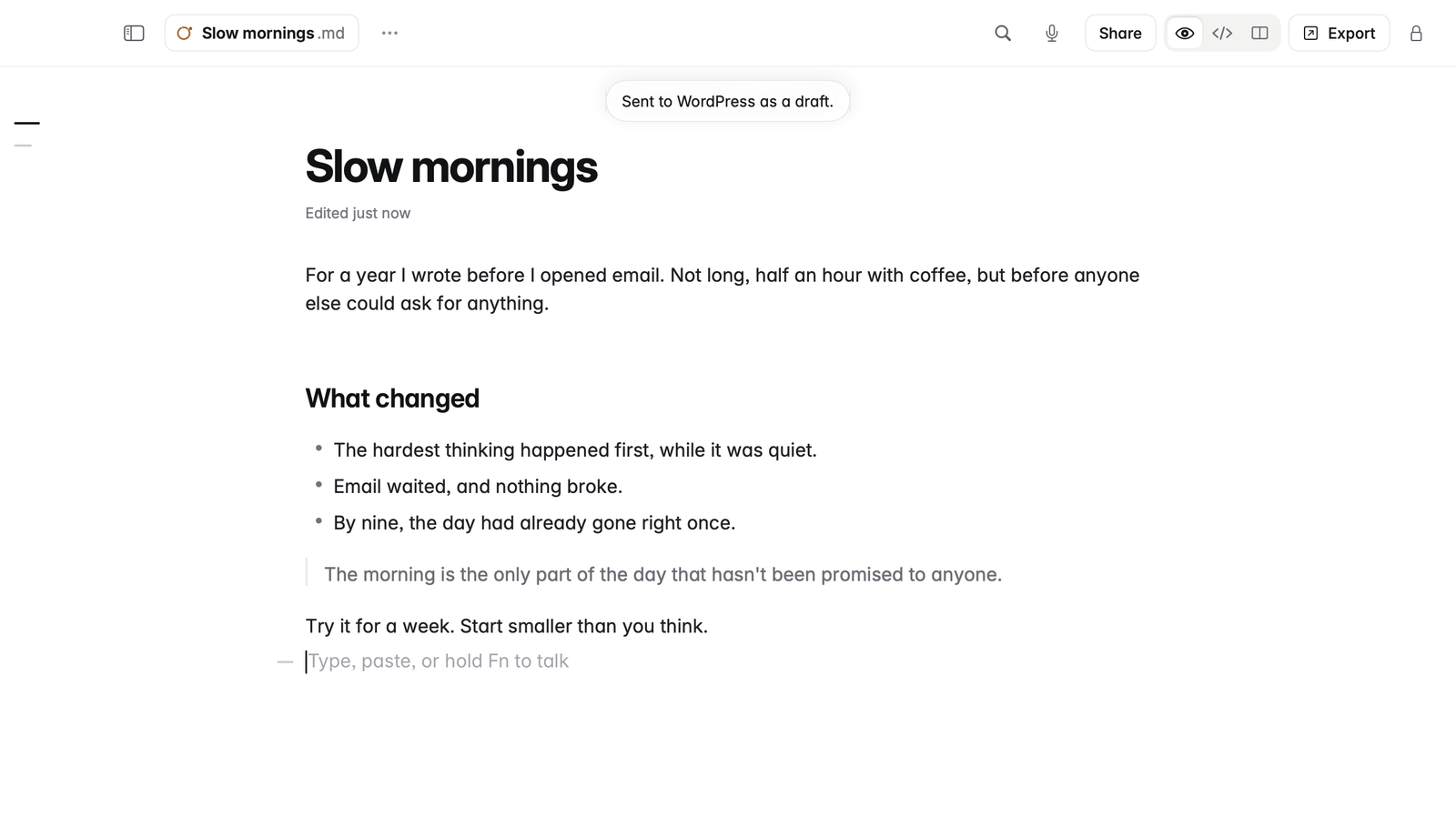
A blog post written in Coffee, sent to WordPress as a draft, with Coffee saying Sent to WordPress as a draft.
Settings
Blog: WordPress, Ghost, Micro.blog
Site address
Publish as: Draft, Post
WordPress username
WordPress application password, kept in your Mac's Keychain
A book code block with an ISBN on each line shows each book as a card: cover, title, author, year and pages, from Open Library. For reading notes and lists.
Your day's events from a calendar's private address (ICS) from Google, iCloud, Outlook, Fastmail or Proton: Insert Today's Events writes them into the note, and a calendar code block shows a day or a week as an agenda.
A github code block with issue, pull request or repository links shows each as a row with its live state: open, closed or merged, and stars for a repository. Public GitHub only.
A linear or jira code block with issue keys, such as ENG-123, shows each issue as a row with its title, live status, priority and who has it. Paste a link to an issue and it works too.
A paper code block with a DOI, an arXiv or PubMed id, or a title on each line shows each paper as a card: title, authors, journal, year, how often it's cited and whether it's open access, from OpenAlex. For reading lists and literature notes.
Import Readwise Highlights brings your highlights from Kindle, Apple Books, Kobo, Instapaper, articles and podcasts into Coffee: a note for each book or article, with its quotes and your own notes on them. Later imports add only what's new.
Post to Mastodon or Post to Bluesky sends the text you select, or the paragraph the caret is in, as a post, after showing it to you with its length. Links stay links, and Markdown marks are left out.
Send to Todoist turns the lines you select into tasks, understanding dates and projects as Todoist does (tomorrow, every Friday, #Work), and a todoist code block shows the tasks a filter finds, such as today or a project, live from Todoist.
Insert Picture from Unsplash puts a free photo of what you select or write into the note, with the photographer's credit as Unsplash asks. Not the one? Run it again for the next.
Insert Today's Weather writes the day's forecast for your place into the note, such as a daily note, and a weather code block shows the next five days. From Open-Meteo, with nothing to sign up for.
Cite from your Zotero library: Insert Citation from Zotero finds a source by words from its title or author and puts in a citation that opens it in Zotero, and Insert Bibliography writes the reference list for the sources cited in the note, in APA, Chicago, MLA, Harvard or IEEE.
 Coffee