 Coffee
Press kit
Everything you need to write about Coffee. Use any of it without asking. For a review licence, an interview or anything else, write to Pedro Thomaz at ola@pedrothomaz.pt. A person answers, not a form.
Download everything (ZIP, 1.2 MB)
Review licence
Writers, reviewers and creators get a free lifetime licence. Email Pedro and he'll send you a code to enter at checkout, so you can test everything, including Word import, exports and AI review, with no time limit.
Facts
| Name | Coffee |
|---|---|
| What it is | A native Markdown editor and notes app for Mac |
| Made by | Pedro Thomaz, one person, in Leiria, Portugal |
| Launched | November 2026, #10 of the day on Product Hunt (10 November) |
| Platform | macOS 15 or later, Apple silicon and Intel |
| Price | 14 days free, then €3 a month, €29 a year, or €79 once with two years of updates. Prices in US dollars and pounds at checkout. |
| Website | coffeetext.app |
| Download | coffeetext.app/download/Coffee.dmg |
| Contact | ola@pedrothomaz.pt |
In one line
A quiet Markdown editor for Mac, with sums in your notes.
Short description (about 50 words)
Coffee is a native Markdown editor for the Mac, with an app for iPhone and iPad. Notes stay plain Markdown files in a folder you own. Write a sum in plain words and the answer appears beside the line. Maths and Mermaid diagrams are drawn natively, and you can review every change an AI tool makes to a note.
Long description
Coffee is a Markdown editor and notes app made for the Mac by one developer in Portugal. It opens instantly, stays out of the way, and keeps every note as an ordinary Markdown file in a folder you choose, so notes work with iCloud Drive, Dropbox, Git, Spotlight and Quick Look, and nothing is locked in.
Coffee for iPhone and iPad opens the same notes when the folder is in iCloud Drive, with sums, links, tags, diagrams, maths and canvases. One purchase unlocks it on every device.
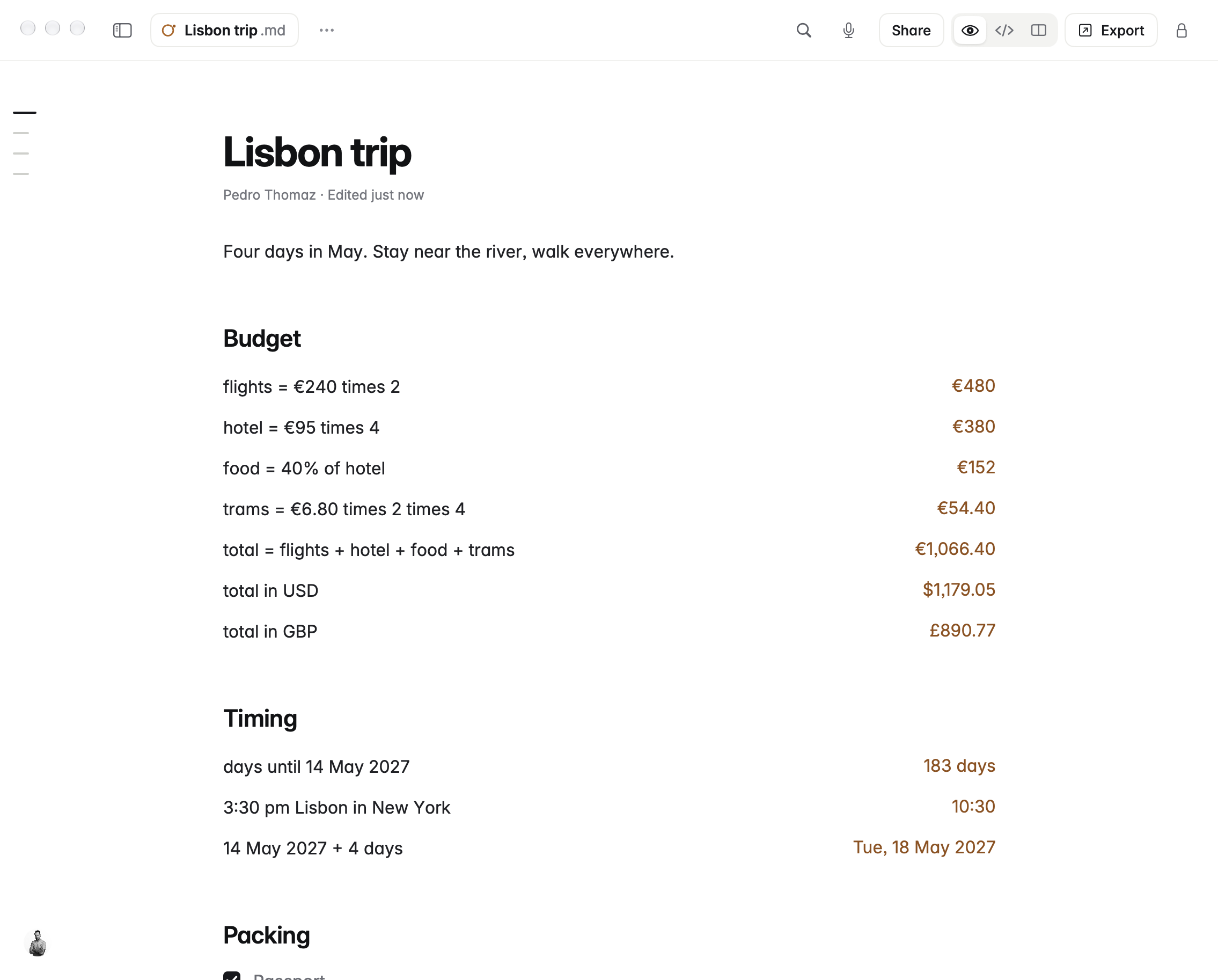
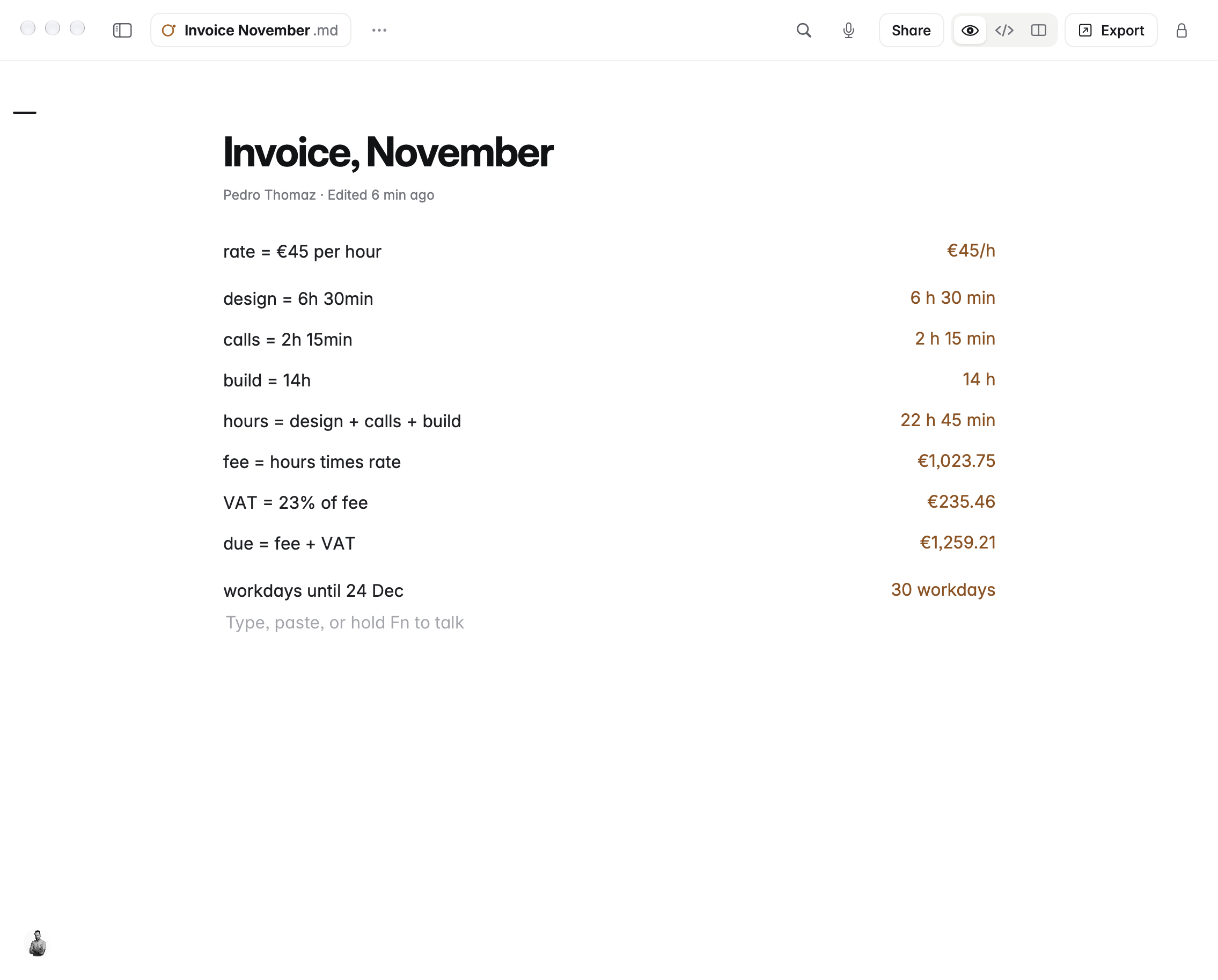
Its most unusual feature is sums in plain words. Type hotel = €95 times 4, total in USD, 3:30 pm Lisbon in New York or workdays until 24 Dec, and the answer appears beside the line without ever being written into the file. It handles currencies, time zones, dates, units, percentages and timesheets.
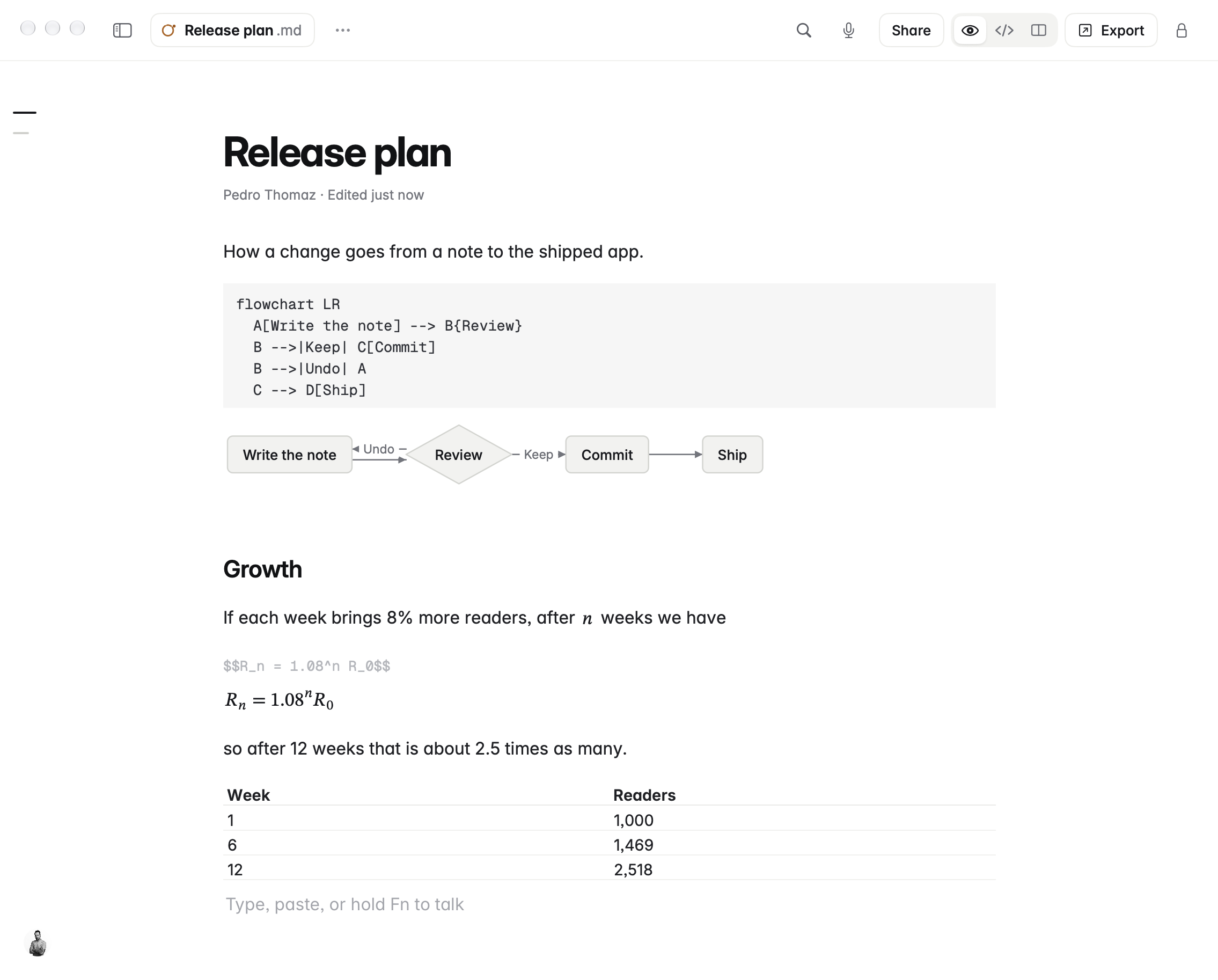
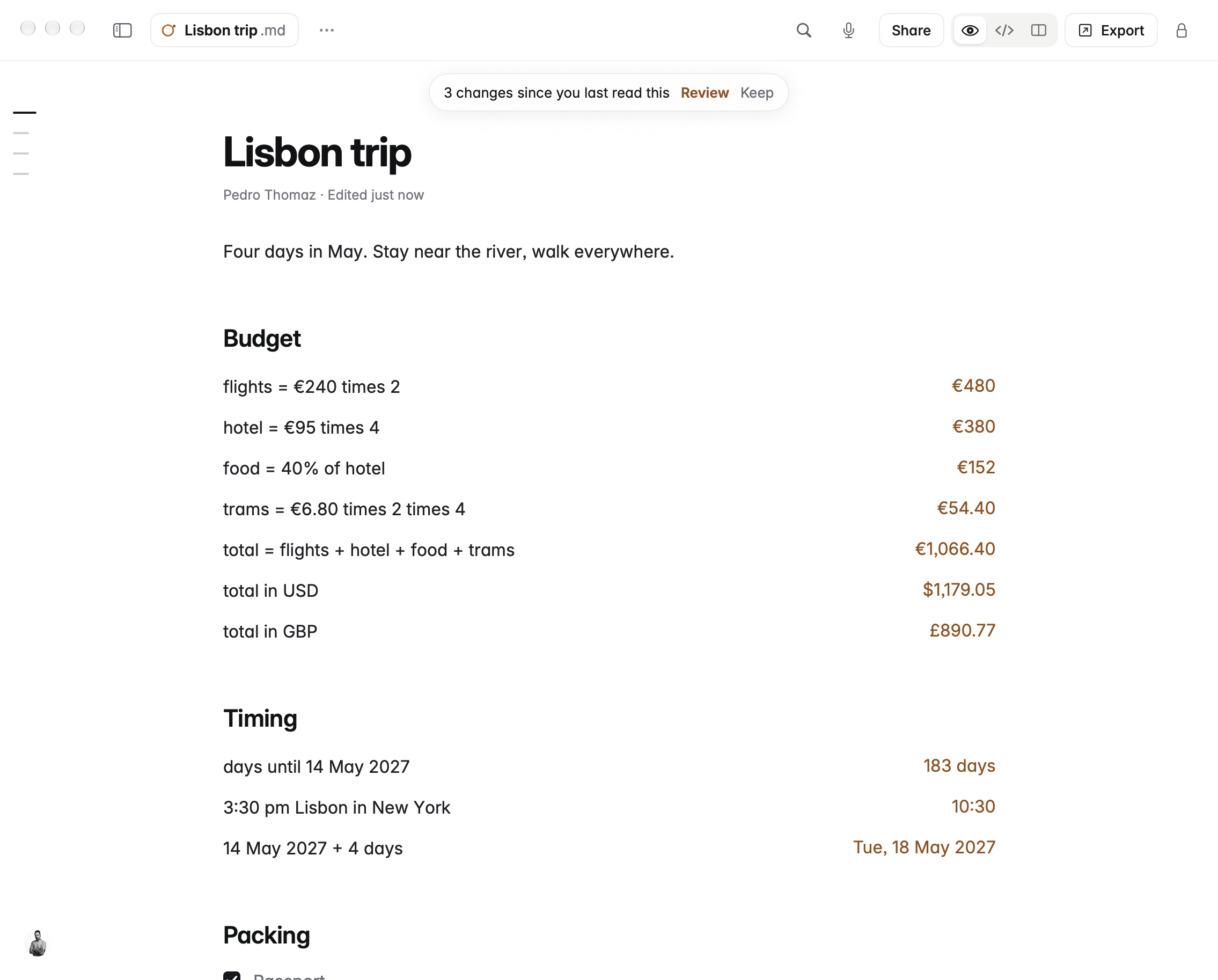
Maths (LaTeX) and Mermaid diagrams are drawn natively rather than in a hidden web page. For people who let Claude, Cursor or other AI tools edit their notes, Coffee shows each change and lets you keep or undo it one by one. It also imports Word files, exports to PDF, Word, EPUB and web pages, and can send a single note to a Git branch or pull request for teams whose docs live in Git.
Screenshots
Retina PNGs, 2270 × 1826. Click to open full size.
Icon
Icon on white, 1600 × 1600 PNG · Icon, 256 × 256 PNG. Please don't change its colours or crop the coffee ring.


About the maker
Pedro Thomaz is a developer in Leiria, Portugal, who has built AR, VR and AI products since 2014. He started Coffee because he wanted one Mac app for writing in Markdown that stays out of the way, keeps notes as plain files and answers the small sums he writes anyway. He builds it alone, with a native Swift codebase.