 Coffee
Plugins
Buttons for the top bar, commands with their own shortcuts, sections in the sidebar and code blocks drawn as pictures. Each one is reviewed before it's listed, and installs from Coffee in Settings, Plugins, Browse Plugins.
Try a plugin before you install it
The playground runs any plugin here, or one you write, in your browser. Change a line, press Run, and watch it work in a pretend Coffee window.
-
Editing
Authorship
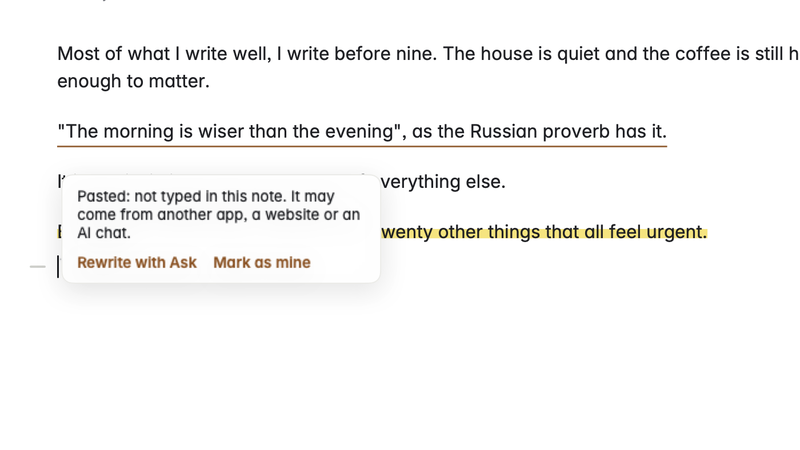
Marks the text in a note that was pasted, inserted from Ask or changed by another app, and shows how much of the note you wrote yourself.
Works on the note you have open. Reads your other notes.
-
Charts and drawings
Bar charts
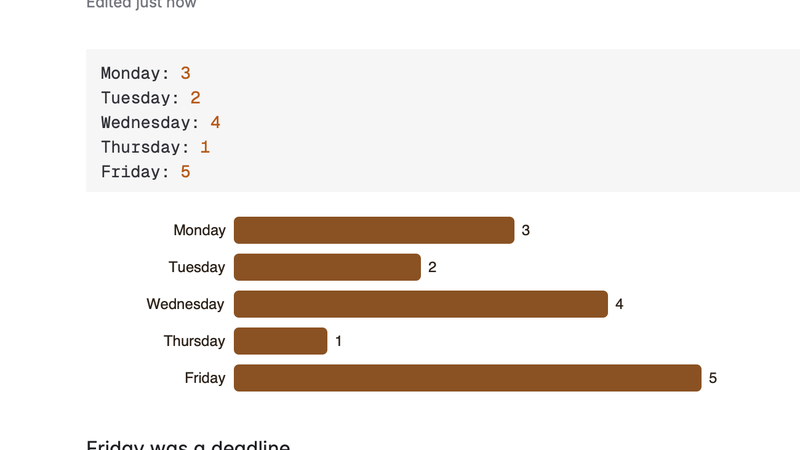
Draws a bars code block of label: number lines as a bar chart under it. The note keeps the plain lines.
Works on the note you have open.
-
Connected services
Book cards
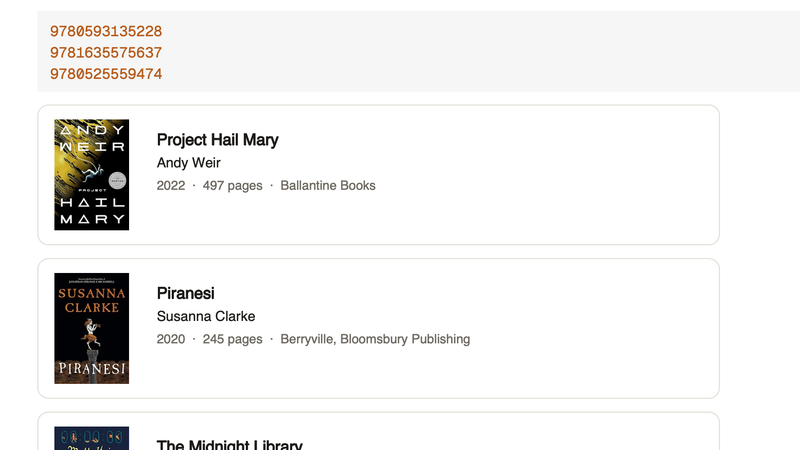
A book code block with an ISBN on each line shows each book as a card: cover, title, author, year and pages, from Open Library. For reading notes and lists.
Works on the note you have open. Connects to openlibrary.org. Connects to covers.openlibrary.org. Connects to archive.org.
-
Organising
Broken links
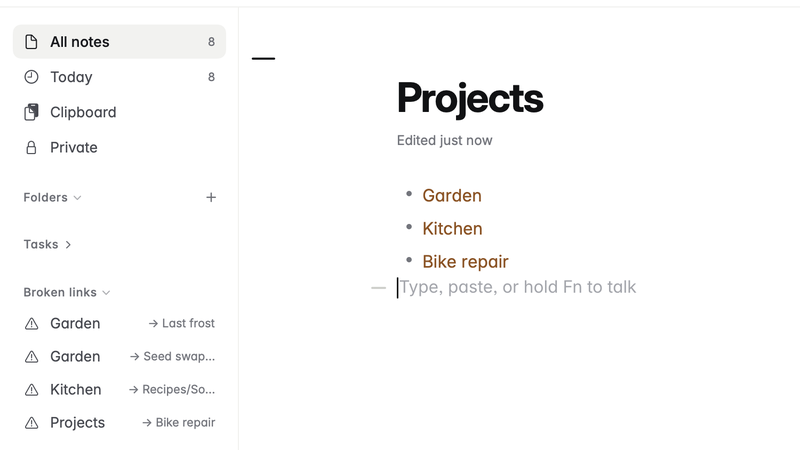
Lists, in the sidebar, the links between your notes that lead nowhere: a [[link]] or a link to a .md file whose note was renamed or deleted. Click one to open the note it's in.
Works on the note you have open. Reads your other notes.
-
Charts and drawings
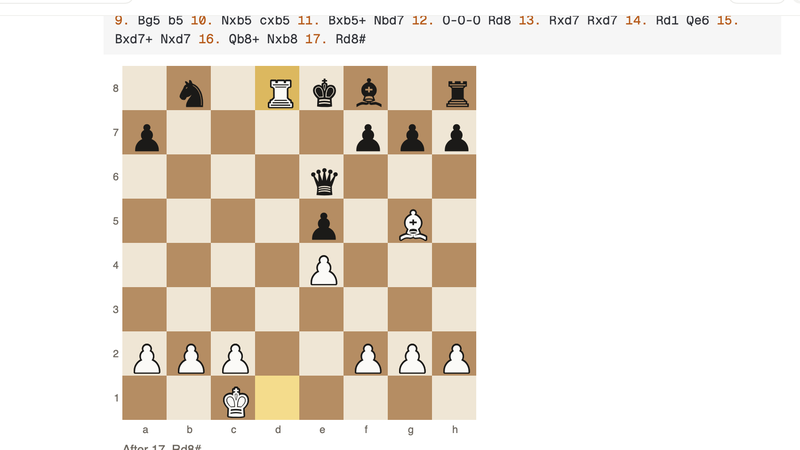
Chess boards
A chess code block with a game in PGN, or a position in FEN, draws the board: the final position, or the one after the move you ask for, with the last move marked.
Works on the note you have open.
-
Connected services
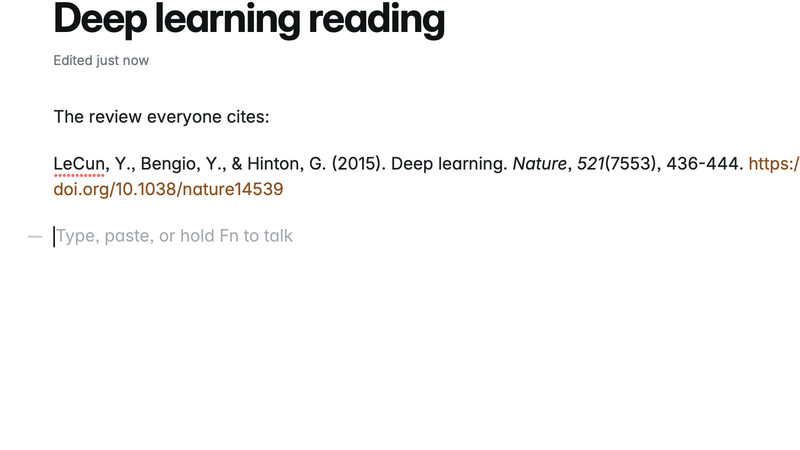
Citations from DOI
Paste or select a DOI, right-click, Insert Citation: the reference written out in APA, MLA, Chicago or BibTeX, from Crossref's record of the paper.
Works on the note you have open. Connects to api.crossref.org.
-
Organising
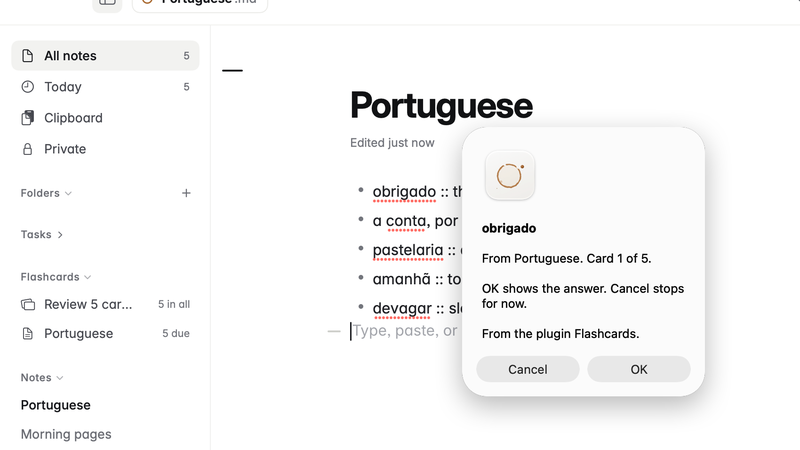
Flashcards
Write question :: answer on a line in any note and it becomes a flashcard. The sidebar says how many are due; review them one by one, and the ones you know come back less often.
Works on the note you have open. Reads your other notes.
-
Connected services
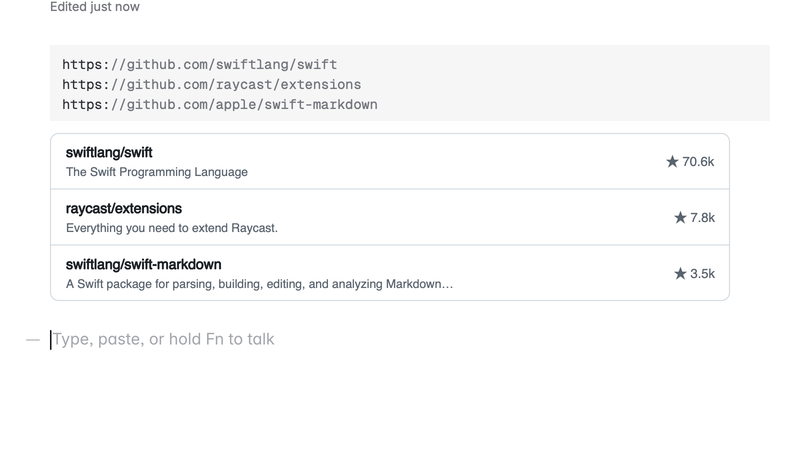
GitHub status
A github code block with issue, pull request or repository links shows each as a row with its live state: open, closed or merged, and stars for a repository. Public GitHub only.
Works on the note you have open. Connects to api.github.com.
-
Writing
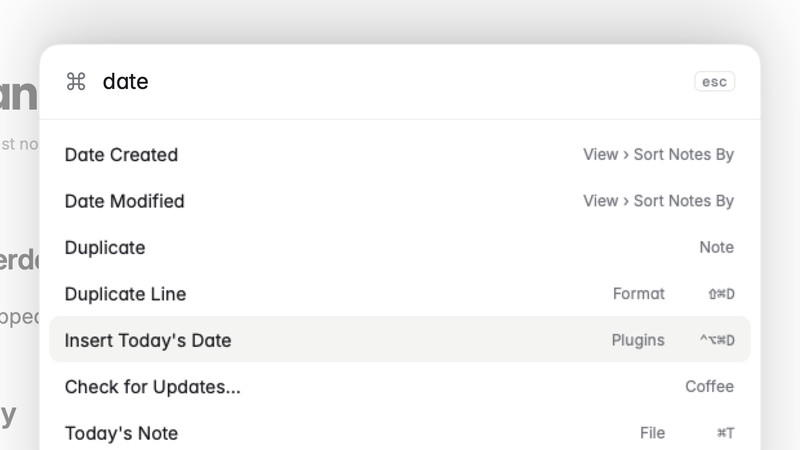
Insert date
Adds Insert Today's Date to the Plugins menu and the command palette, with a shortcut and a choice of format.
Works on the note you have open.
-
Charts and drawings
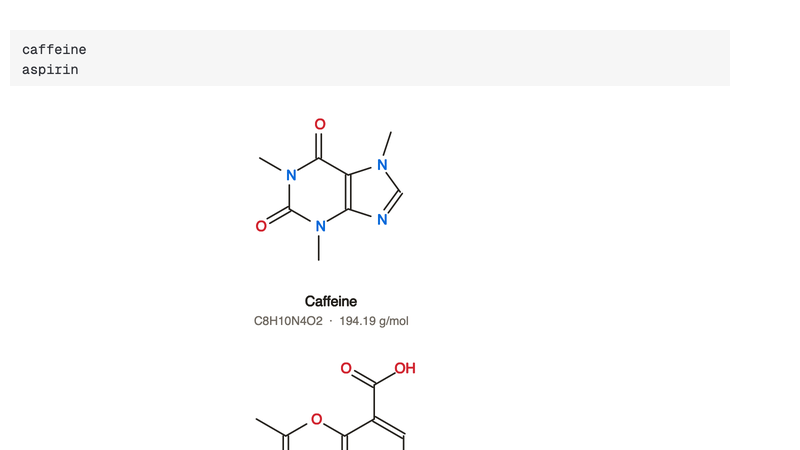
Molecules
A molecule code block with a name or a SMILES on each line draws each structure, with its formula and weight, from PubChem. For chemistry notes and homework.
Works on the note you have open. Connects to pubchem.ncbi.nlm.nih.gov.
-
Organising
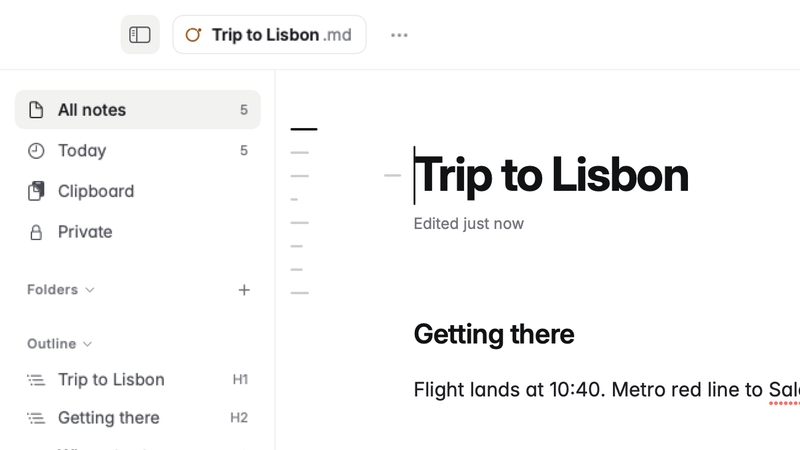
Outline in the sidebar
Lists the open note's headings in the sidebar, and marks a heading that skips a level.
Works on the note you have open.
-
Writing
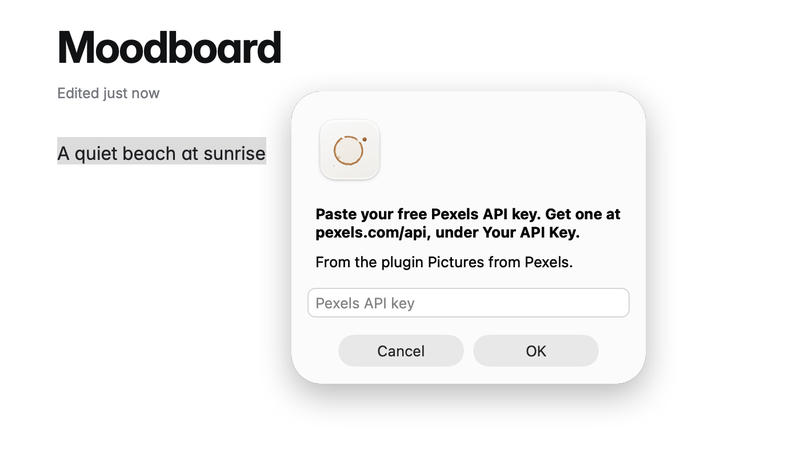
Pictures from Pexels
Right-click, choose Insert Picture from Pexels, write what you want, and a free photo goes into the note with its credit. Not the one? Rest the pointer on the credit for the next of five.
Works on the note you have open. Connects to api.pexels.com.
-
Writing
Readability
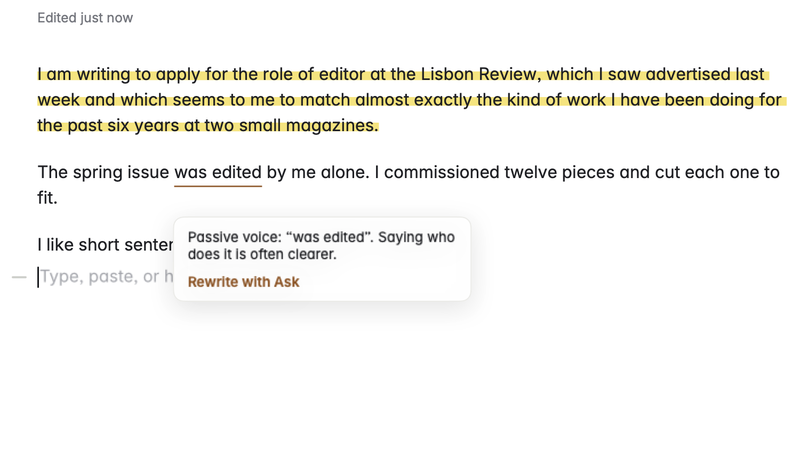
Marks long sentences, passive voice and weak adverbs in English writing, with the reason in a balloon and Rewrite with Ask beside it, and shows the note's reading grade in the top bar.
Works on the note you have open.
-
Charts and drawings
Sheet music
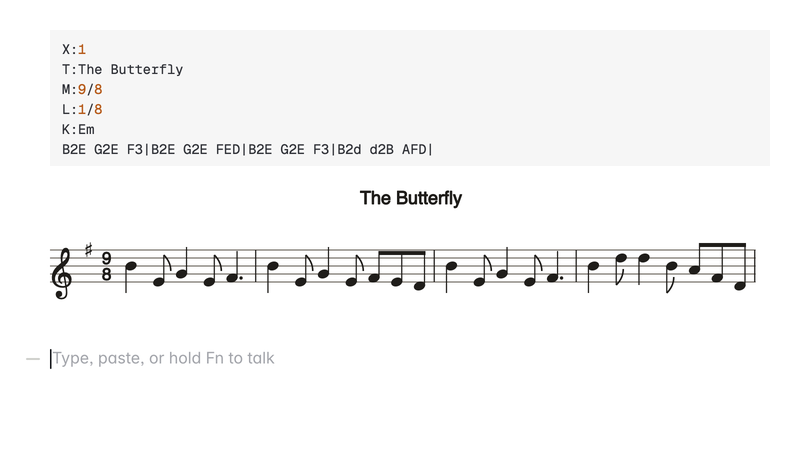
An abc code block draws tunes written in ABC notation as sheet music: title, key, time, notes and rests, beams, accidentals and chord names. For musicians, teachers and students.
Works on the note you have open.
-
Editing
Sort lines
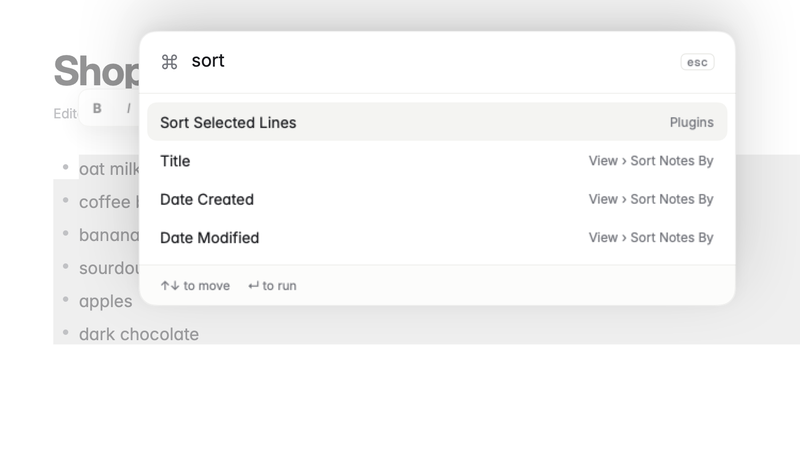
Adds Sort Selected Lines to the Plugins menu: the lines you select, in order from A to Z, list marks and all. One step to undo.
Works on the note you have open.
-
Connected services
Wikipedia lookup
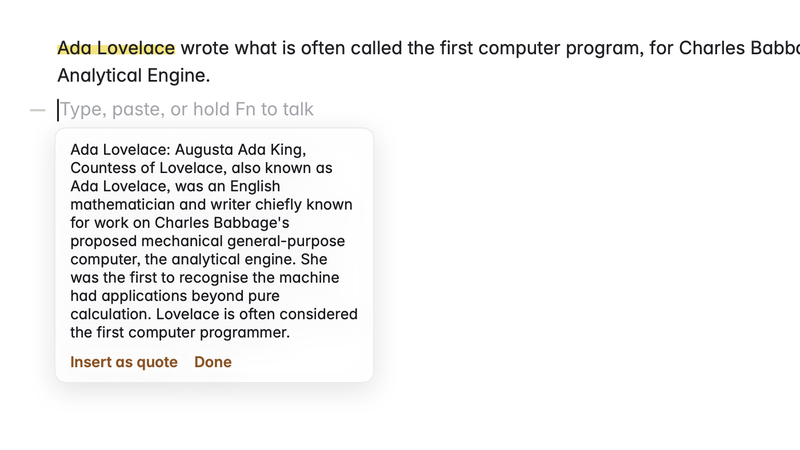
Select a word or a name, right-click, Look Up on Wikipedia: its summary in a balloon, and a quote of it with the link if you want it in the note.
Works on the note you have open. Connects to en.wikipedia.org.
-
Writing
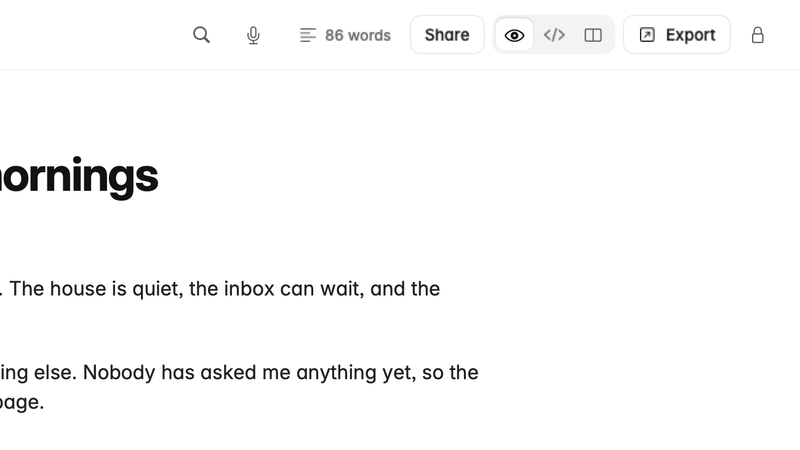
Word count
Shows the number of words in the open note in the top bar. Click it for the words in what's selected.
Works on the note you have open.
-
Writing
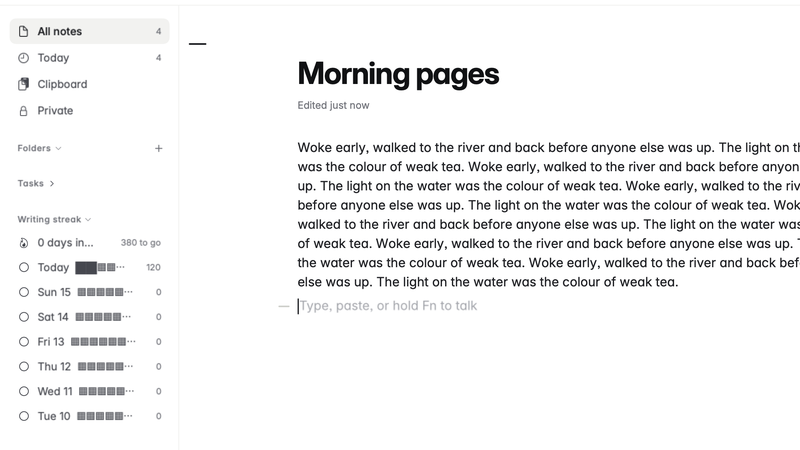
Writing streak
Counts the words you write each day across all your notes, shows today against a daily goal in the top bar, and keeps your streak of days that reached it in the sidebar.
Works on the note you have open.
No plugin matches that yet. Did you mean ?