 Coffee
Sums in your notes
MaciPhone and iPad
Write a sum in plain words on its own line and the answer appears beside it. The answer never goes into the file.
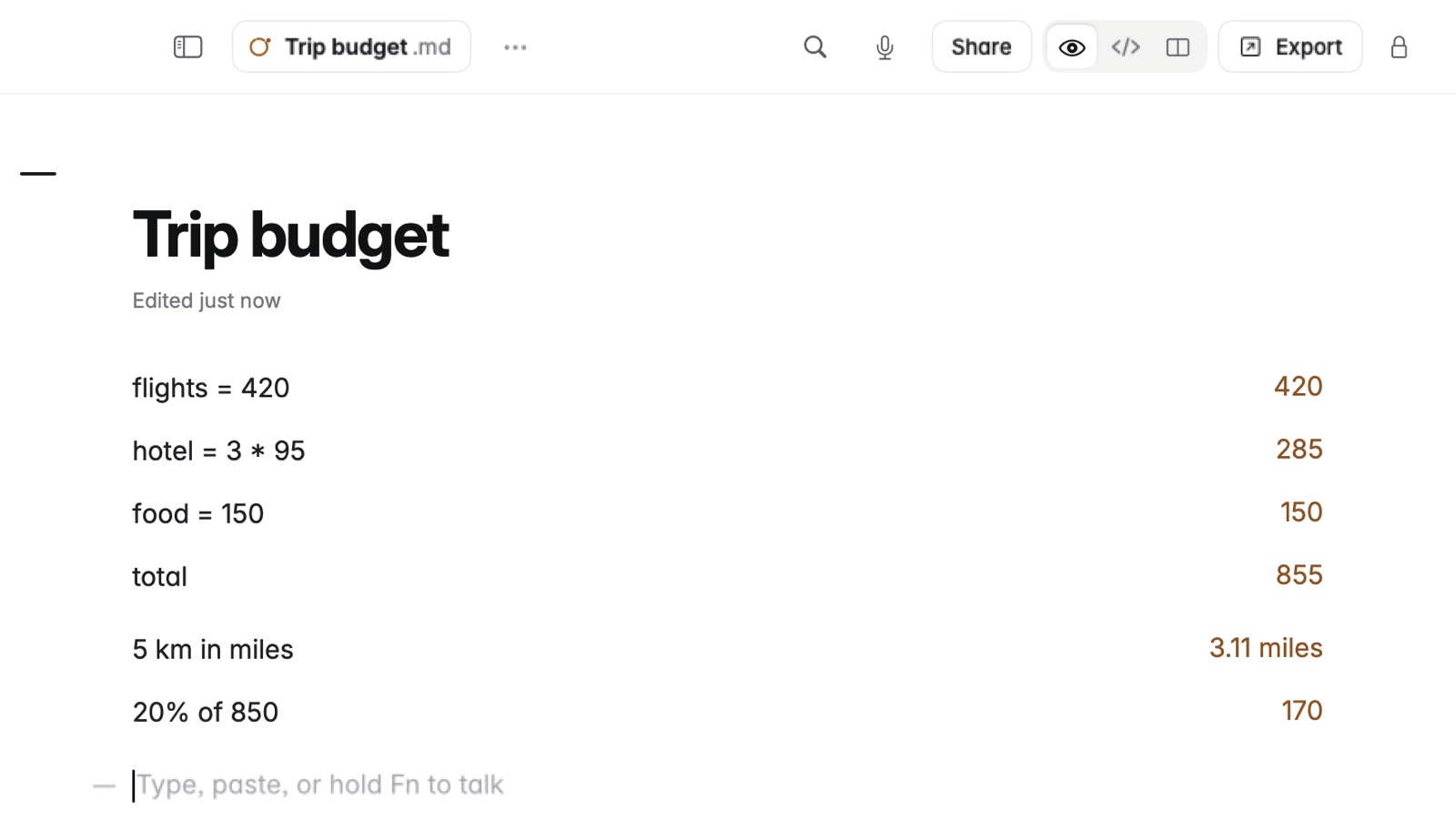
How to write a sum
- Start a new line in any note.
- Type the sum the way you'd say it, such as 20% of 50, sqrt 16, half of 175 or 37 to nearest 10.
- The answer appears beside the line as you type.
How to keep a value for later
- Write a name,
=and a value, such asrent = 900. - Use the name on the lines below, such as
rent * 12. - Change the value and every answer that uses it changes too.
Names can have two or three words, such as hourly rate = $80. A line starting with an operator carries on from the answer above: + 20%, × 2.
Example
rent = 900900
rent * 1210,800
20% of 5010
sqrt 164
1200 + 20%1,440
The answers appear beside each line and never go into the file.