 Coffee
All plugins 30
Reviewed by Coffee, free, and installed from Settings, Plugins, Browse Plugins. Each one says what it can reach.
Filters
Every plugin
30 plugins
-
Authorship Editing
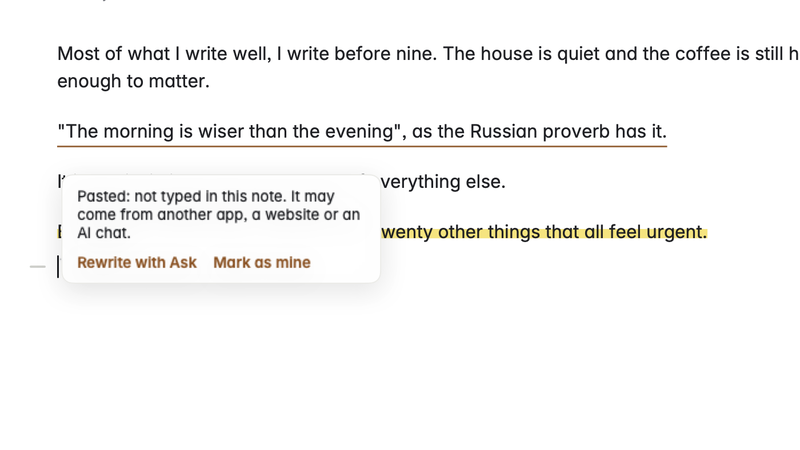
Marks the text in a note that was pasted, inserted from Ask or changed by another app, and shows how much of the note you wrote yourself.
Shows up in Marks in the note and top bar
Can reach Reads your other notes
-
Bar charts Charts and drawings
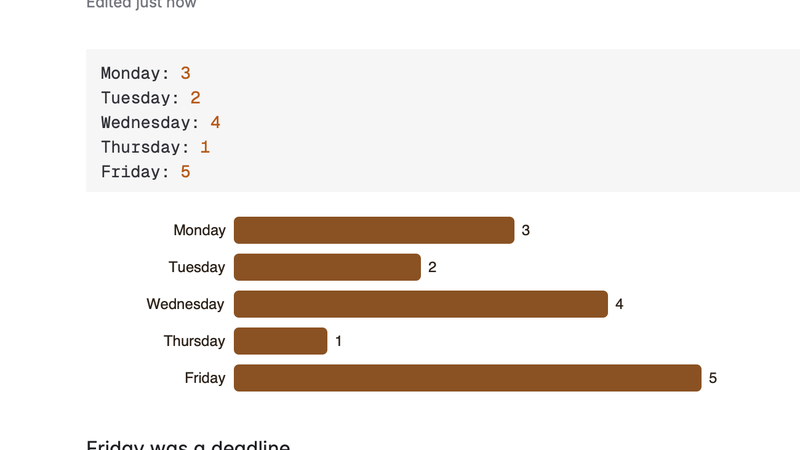
Draws a bars code block of label: number lines as a bar chart under it. The note keeps the plain lines.
Shows up in Code blocks
Can reach Works offline
-
Book cards Connected services
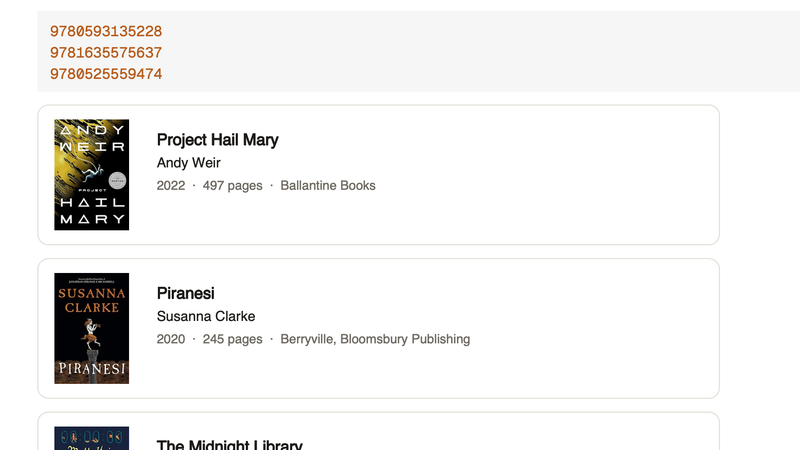
A book code block with an ISBN on each line shows each book as a card: cover, title, author, year and pages, from Open Library. For reading notes and lists.
Shows up in Code blocks
Can reach Connects to Open Library
-
Breaks Writing
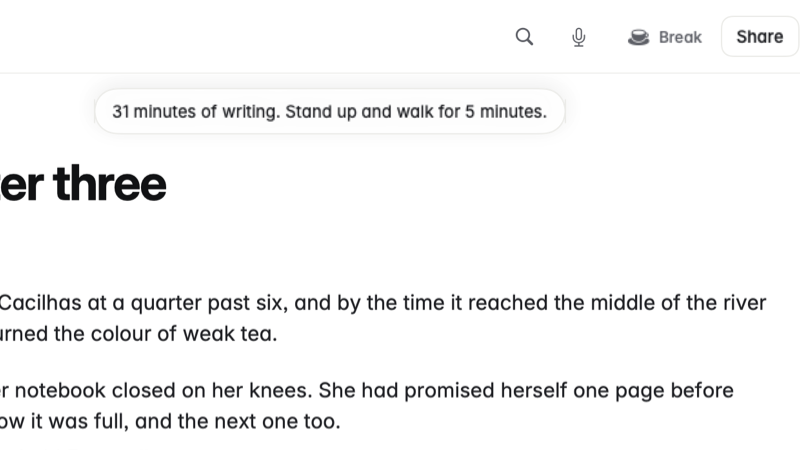
Counts how long you've been writing, in the top bar, and reminds you to stand up and walk for 5 minutes every half hour, the rhythm a 2023 Columbia University study found best for long sitting. Stop for the length of a break and the count starts again. It can also remind you to look away from the screen every 20 minutes.
Shows up in Top bar
Can reach Works offline
-
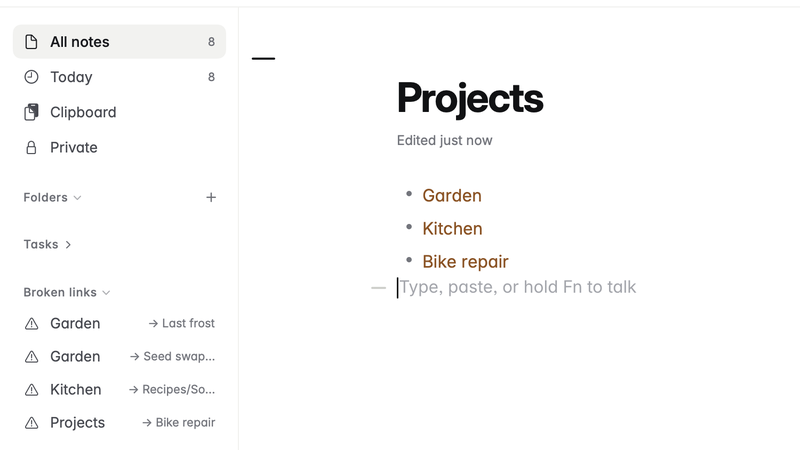
Broken links Organising
Lists, in the sidebar, the links between your notes that lead nowhere: a [[link]] or a link to a .md file whose note was renamed or deleted. Click one to open the note it's in.
Shows up in Sidebar
Can reach Reads your other notes
-
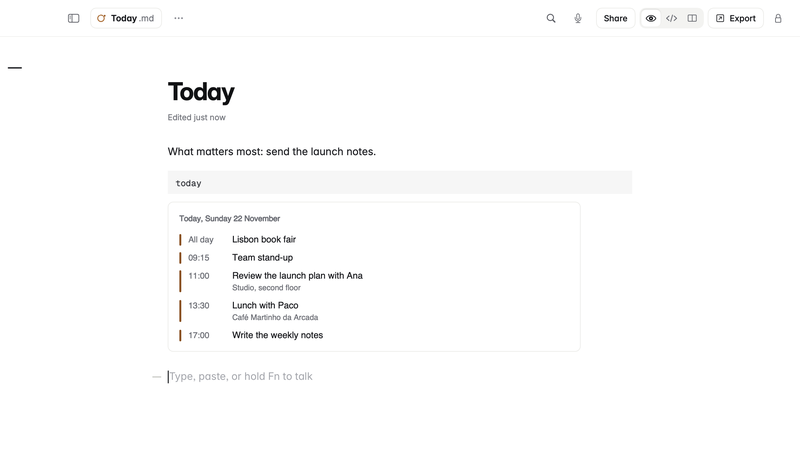
Calendar Connected services
Your day's events from a calendar's private address (ICS) from Google, iCloud, Outlook, Fastmail or Proton: Insert Today's Events writes them into the note, and a calendar code block shows a day or a week as an agenda.
Shows up in Menus and commands and code blocks
Can reach Connects to Google Calendar, iCloud Calendar, Outlook, Fastmail and Proton Calendar
-
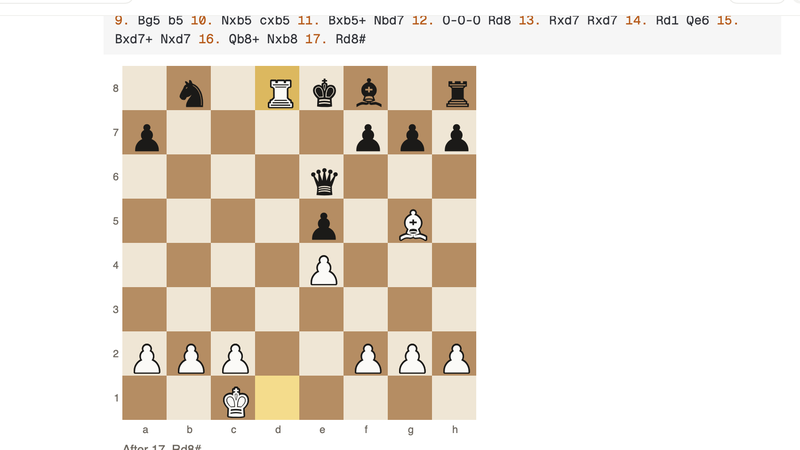
Chess boards Charts and drawings
A chess code block with a game in PGN, or a position in FEN, draws the board: the final position, or the one after the move you ask for, with the last move marked.
Shows up in Code blocks
Can reach Works offline
-
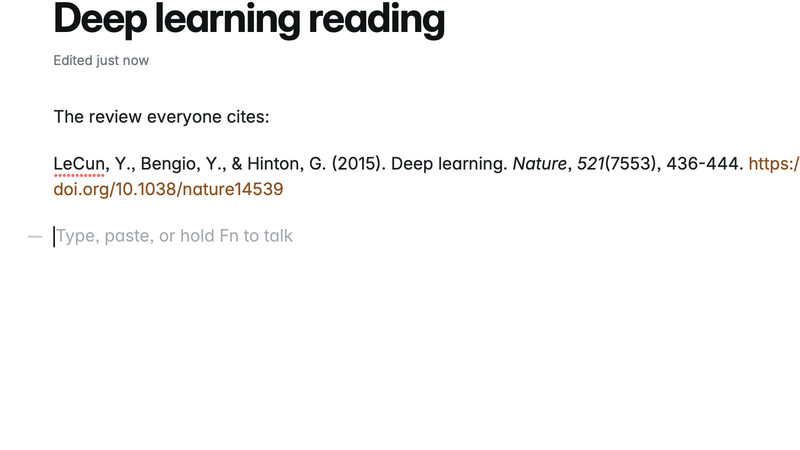
Citations from DOI Connected services
Paste or select a DOI, right-click, Insert Citation: the reference written out in APA, MLA, Chicago or BibTeX, from Crossref's record of the paper.
Shows up in Menus and commands
Can reach Connects to Crossref
-
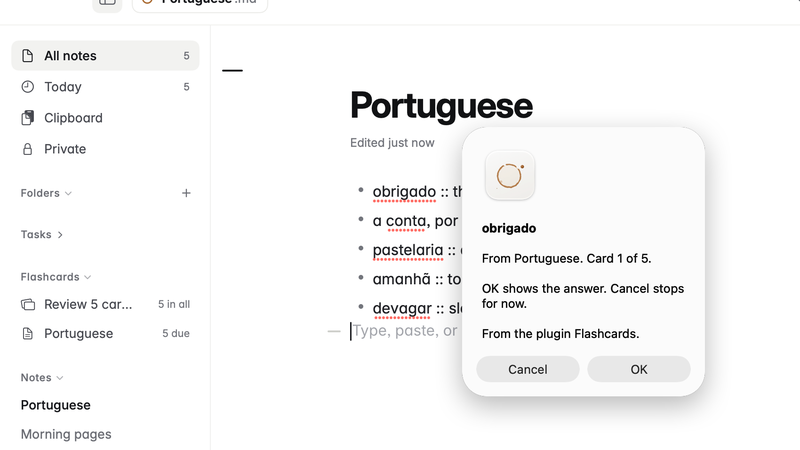
Flashcards Organising
Write question :: answer on a line in any note and it becomes a flashcard. The sidebar says how many are due; review them one by one, and the ones you know come back less often.
Shows up in Sidebar and menus and commands
Can reach Reads your other notes
-
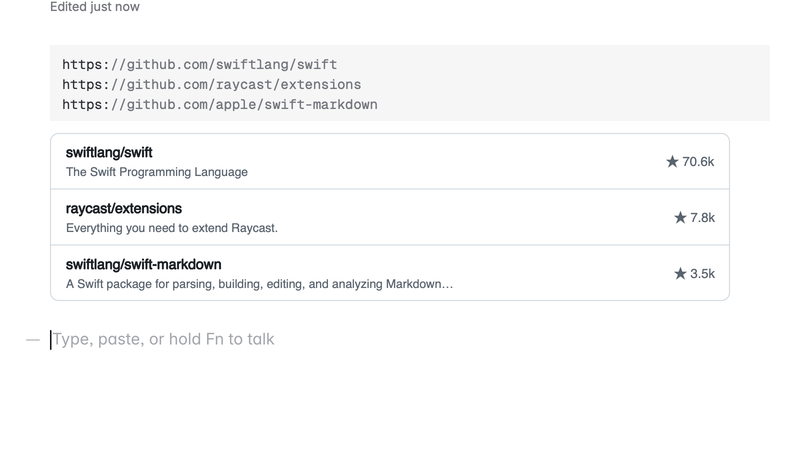
GitHub status Connected services
A github code block with issue, pull request or repository links shows each as a row with its live state: open, closed or merged, and stars for a repository. Public GitHub only.
Shows up in Code blocks
Can reach Connects to GitHub
-
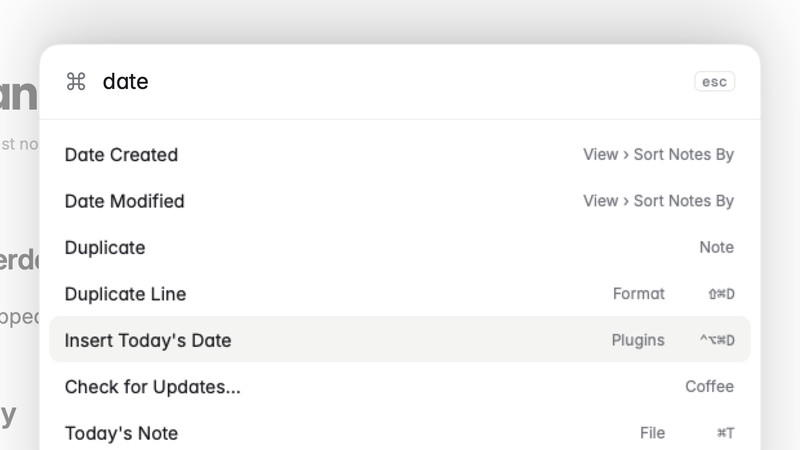
Insert date Writing
Adds Insert Today's Date to the Plugins menu and the command palette, with a shortcut and a choice of format.
Shows up in Menus and commands
Can reach Works offline
-
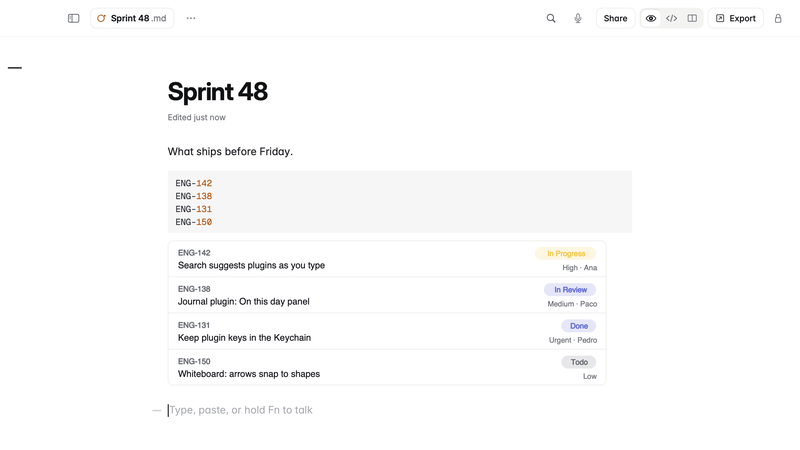
Linear and Jira issues Connected services
A linear or jira code block with issue keys, such as ENG-123, shows each issue as a row with its title, live status, priority and who has it. Paste a link to an issue and it works too.
Shows up in Code blocks
Can reach Connects to Linear and Jira
-
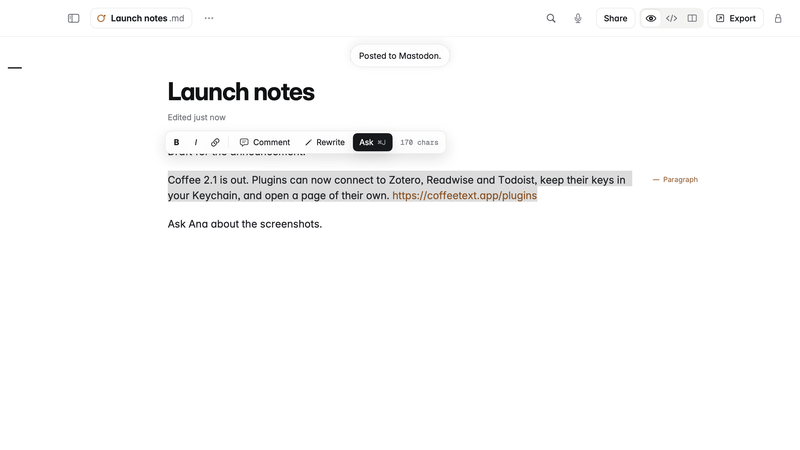
Mastodon and Bluesky Connected services
Post to Mastodon or Post to Bluesky sends the text you select, or the paragraph the caret is in, as a post, after showing it to you with its length. Links stay links, and Markdown marks are left out.
Shows up in Menus and commands
Can reach Connects to Bluesky and sites you allow
-
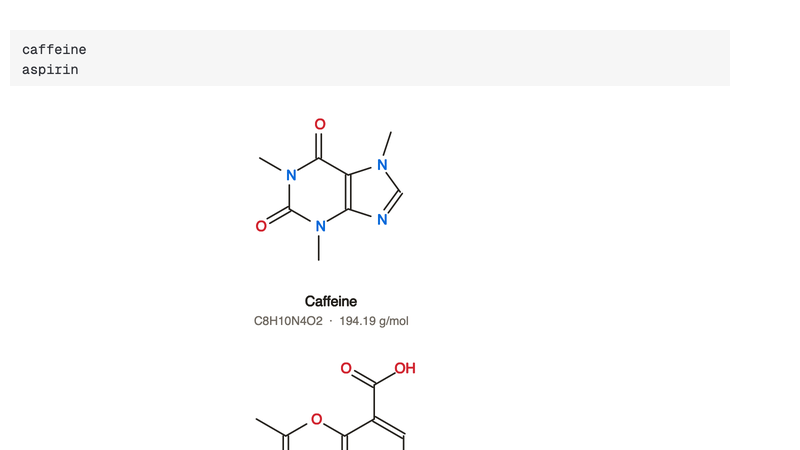
Molecules Charts and drawings
A molecule code block with a name or a SMILES on each line draws each structure, with its formula and weight, from PubChem. For chemistry notes and homework.
Shows up in Code blocks
Can reach Connects to PubChem
-
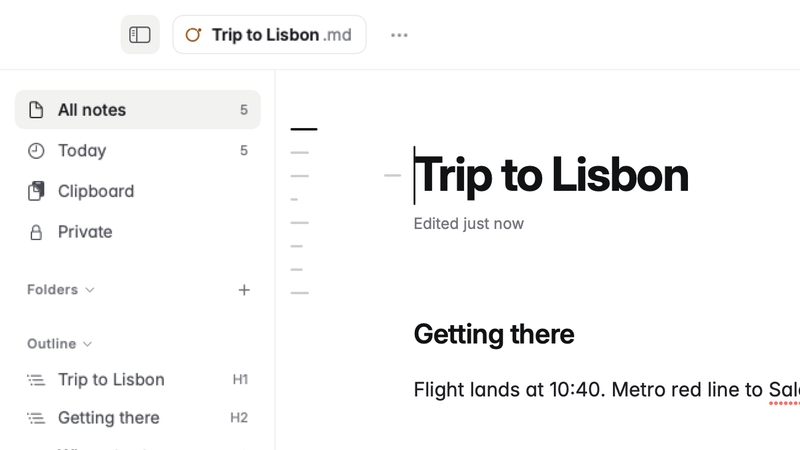
Outline in the sidebar Organising
Lists the open note's headings in the sidebar, and marks a heading that skips a level.
Shows up in Sidebar and marks in the note
Can reach Works offline
-
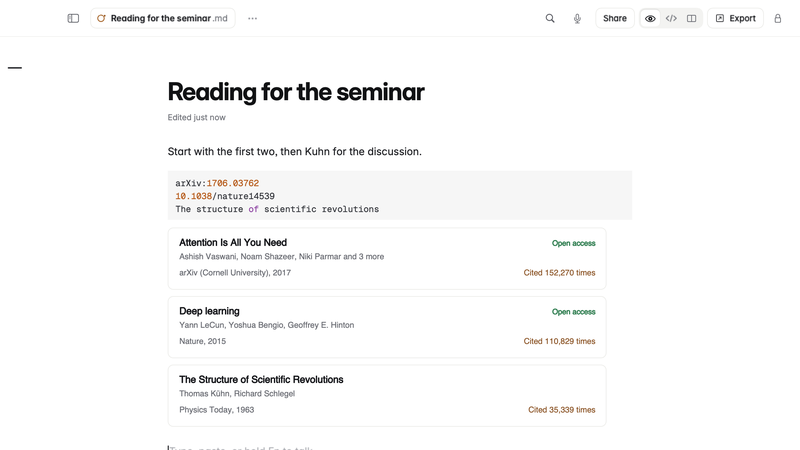
Paper cards Connected services
A paper code block with a DOI, an arXiv or PubMed id, or a title on each line shows each paper as a card: title, authors, journal, year, how often it's cited and whether it's open access, from OpenAlex. For reading lists and literature notes.
Shows up in Code blocks
Can reach Connects to OpenAlex
-
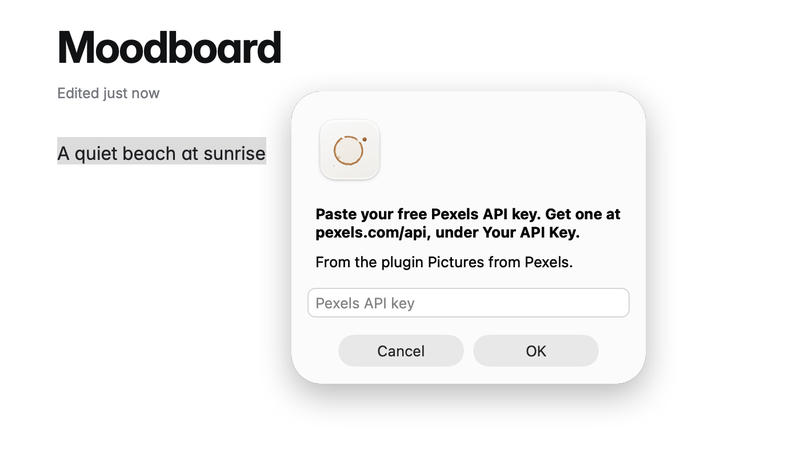
Pictures from Pexels Writing
Right-click, choose Insert Picture from Pexels, write what you want, and a free photo goes into the note with its credit. Not the one? Rest the pointer on the credit for the next of five.
Shows up in Menus and commands
Can reach Connects to Pexels
-
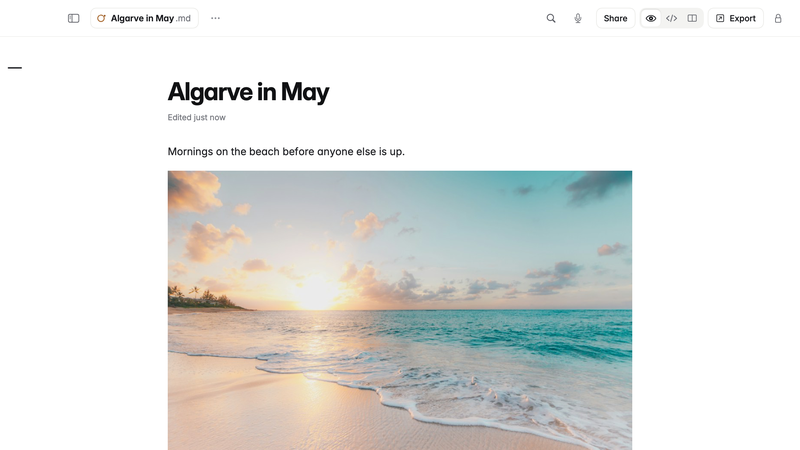
Pictures from Unsplash Connected services
Insert Picture from Unsplash puts a free photo of what you select or write into the note, with the photographer's credit as Unsplash asks. Not the one? Run it again for the next.
Shows up in Menus and commands
Can reach Connects to Unsplash
-
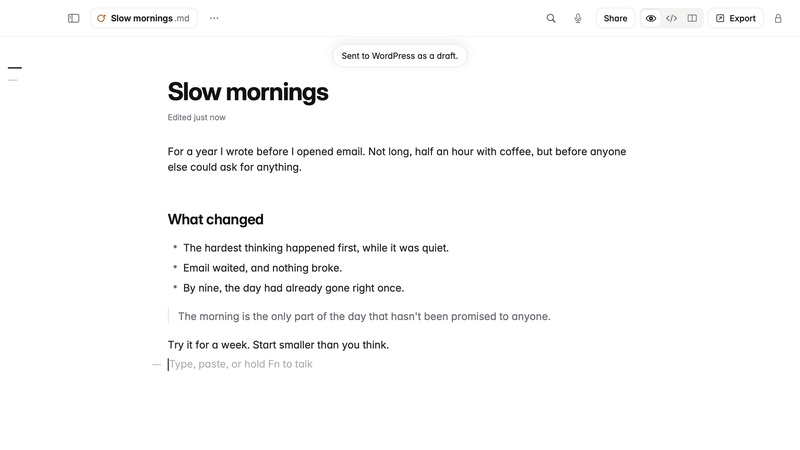
Publish to your blog Connected services
Publish This Note sends the open note to your WordPress, Ghost or Micro.blog site, as a draft or a post: its first heading becomes the title, and headings, links, pictures, lists, quotes and code come along. Publish again and the same post is updated.
Shows up in Menus and commands
Can reach Connects to Micro.blog and sites you allow
-
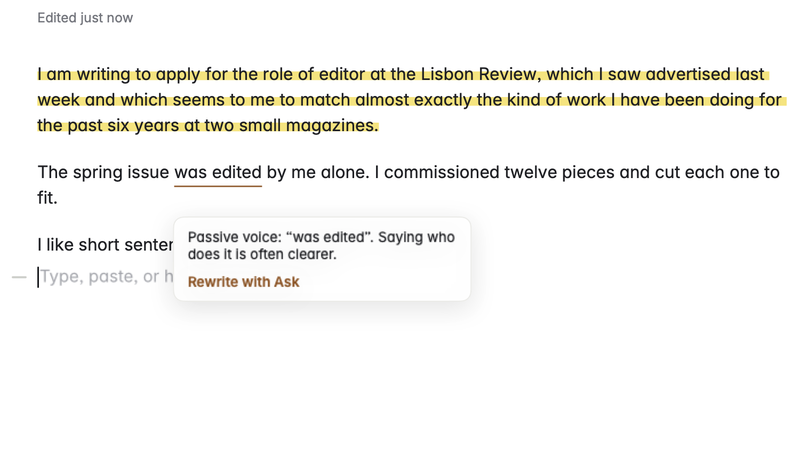
Readability Writing
Marks long sentences, passive voice and weak adverbs in English writing, with the reason in a balloon and Rewrite with Ask beside it, and shows the note's reading grade in the top bar.
Shows up in Marks in the note and top bar
Can reach Works offline
-
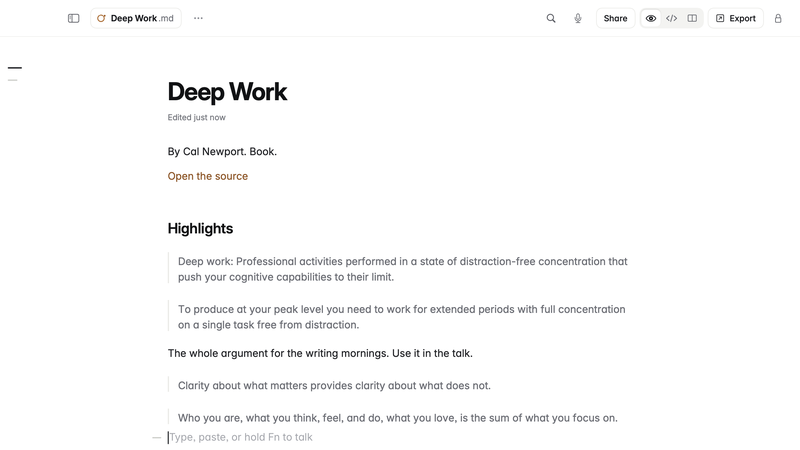
Readwise Connected services
Import Readwise Highlights brings your highlights from Kindle, Apple Books, Kobo, Instapaper, articles and podcasts into Coffee: a note for each book or article, with its quotes and your own notes on them. Later imports add only what's new.
Shows up in Menus and commands
Can reach Reads and changes your other notes and connects to Readwise
-
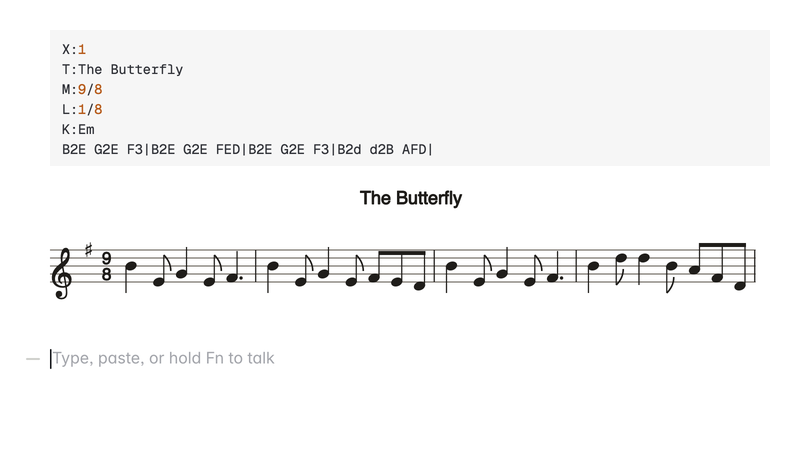
Sheet music Charts and drawings
An abc code block draws tunes written in ABC notation as sheet music: title, key, time, notes and rests, beams, accidentals and chord names. For musicians, teachers and students.
Shows up in Code blocks
Can reach Works offline
-
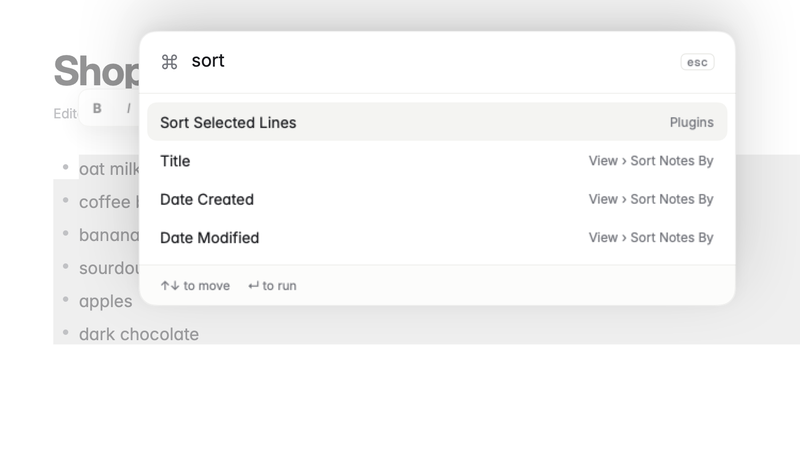
Sort lines Editing
Adds Sort Selected Lines to the Plugins menu: the lines you select, in order from A to Z, list marks and all. One step to undo.
Shows up in Menus and commands
Can reach Works offline
-
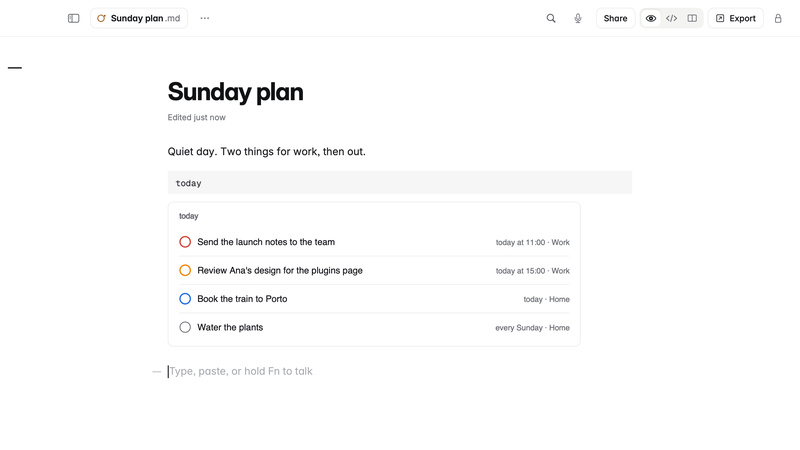
Todoist Connected services
Send to Todoist turns the lines you select into tasks, understanding dates and projects as Todoist does (tomorrow, every Friday, #Work), and a todoist code block shows the tasks a filter finds, such as today or a project, live from Todoist.
Shows up in Menus and commands and code blocks
Can reach Connects to Todoist
-
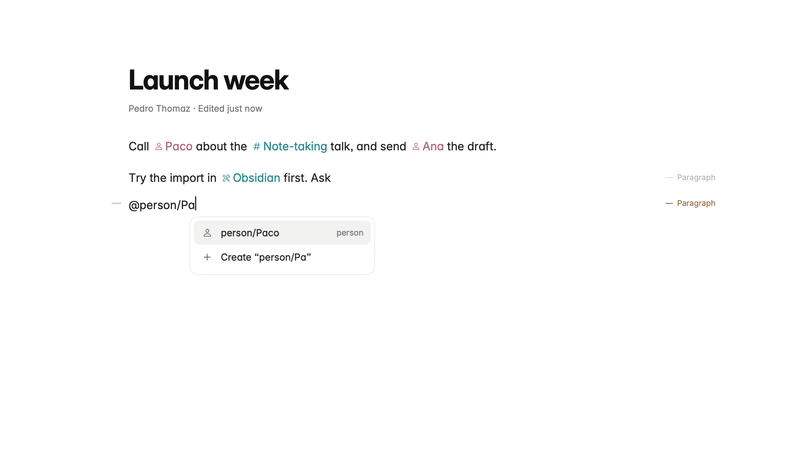
Typed notes Organising
Notes about people, topics, projects and other things you name. Type @person/Ana to link the note about Ana, or to make it in People with its own fields. Links to typed notes show the type's icon and colour.
Shows up in Marks in the note and menus and commands
Can reach Reads and changes your other notes
-
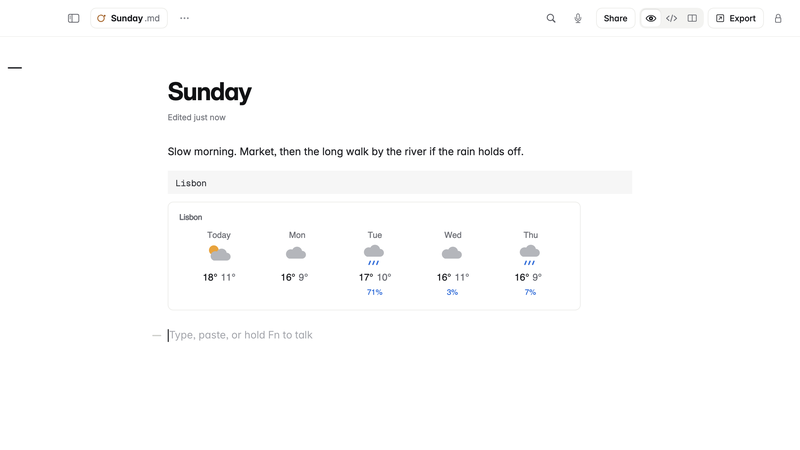
Weather Connected services
Insert Today's Weather writes the day's forecast for your place into the note, such as a daily note, and a weather code block shows the next five days. From Open-Meteo, with nothing to sign up for.
Shows up in Menus and commands and code blocks
Can reach Connects to Open-Meteo
-
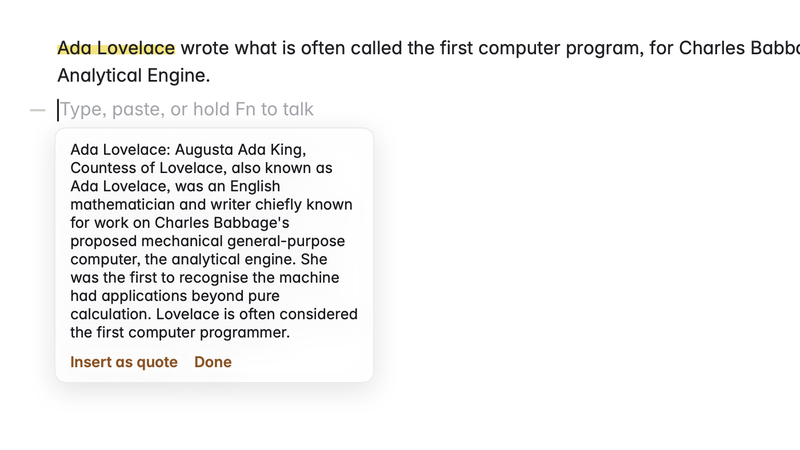
Wikipedia lookup Connected services
Select a word or a name, right-click, Look Up on Wikipedia: its summary in a balloon, and a quote of it with the link if you want it in the note.
Shows up in Menus and commands and marks in the note
Can reach Connects to Wikipedia
-
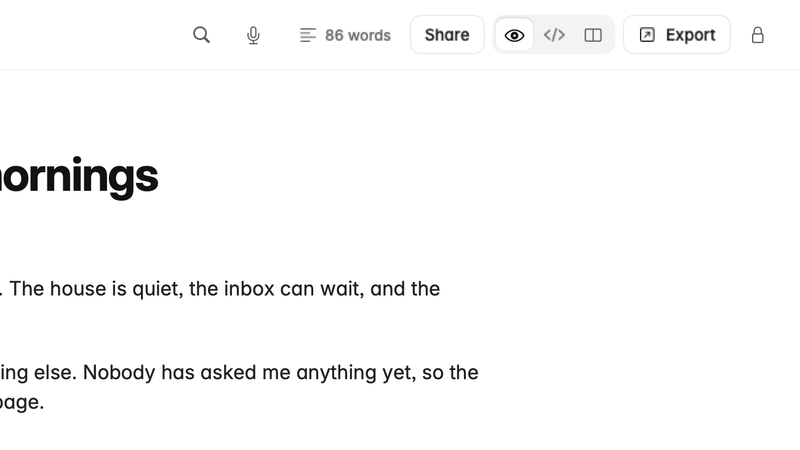
Word count Writing
Shows the number of words in the open note in the top bar. Click it for the words in what's selected.
Shows up in Top bar
Can reach Works offline
-
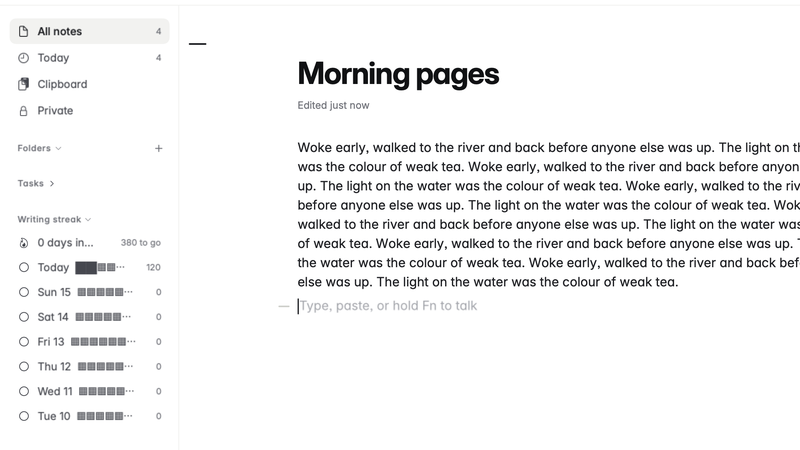
Writing streak Writing
Counts the words you write each day across all your notes, shows today against a daily goal in the top bar, and keeps your streak of days that reached it in the sidebar.
Shows up in Top bar and sidebar
Can reach Works offline
-
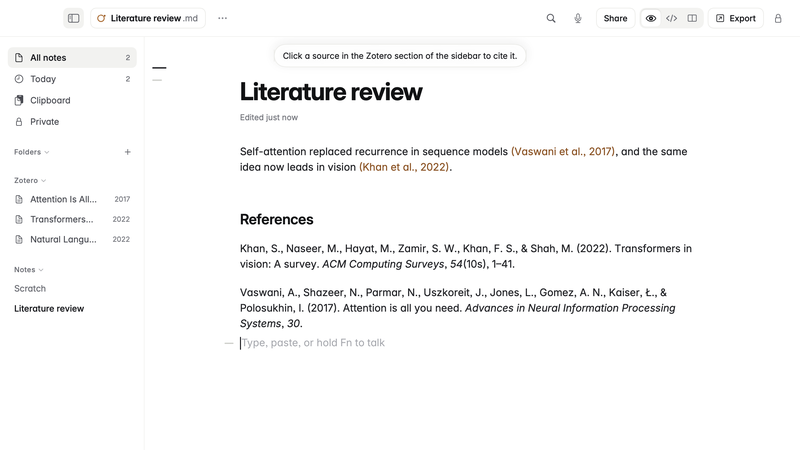
Zotero Connected services
Cite from your Zotero library: Insert Citation from Zotero finds a source by words from its title or author and puts in a citation that opens it in Zotero, and Insert Bibliography writes the reference list for the sources cited in the note, in APA, Chicago, MLA, Harvard or IEEE.
Shows up in Menus and commands and sidebar
Can reach Connects to Zotero
No plugin matches that yet. Did you mean ?
Works offline: connects to nothing Reads or changes your other notes Connects to the service it names