 Coffee
The bar above the keyboard
iPhone and iPad
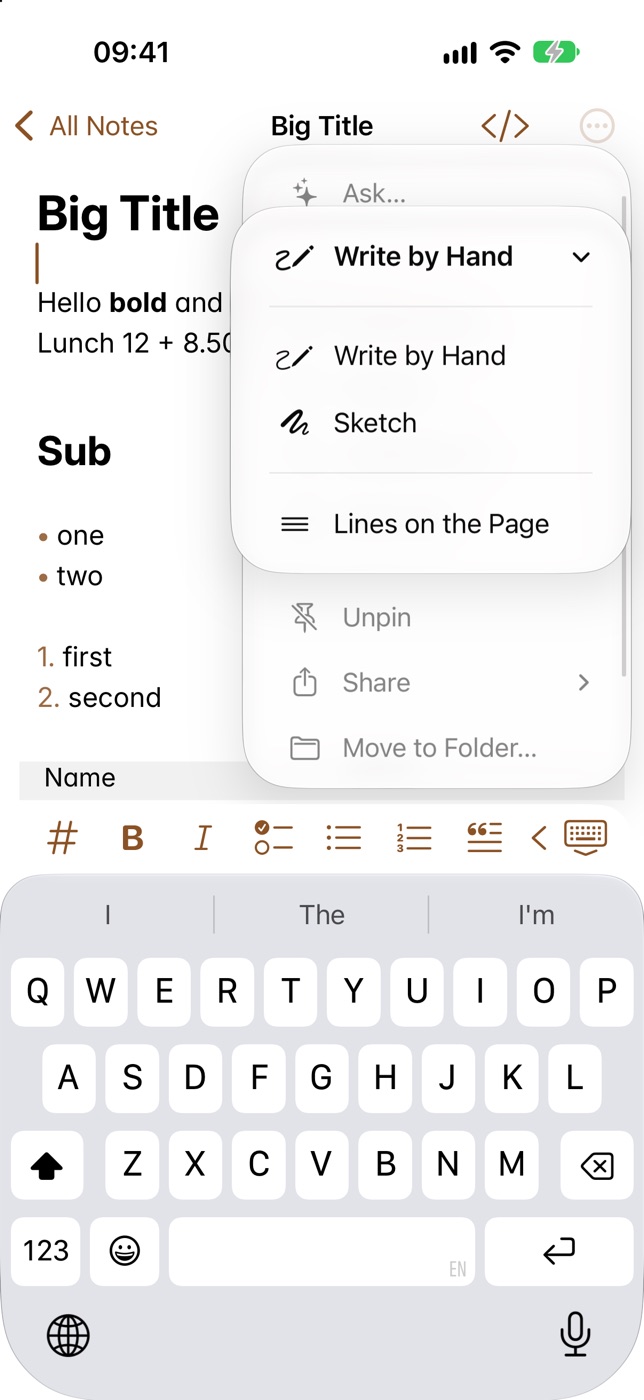
When you type in a note, a bar above the keyboard puts formatting one tap away. On iPad, the same buttons sit in the keyboard's own shortcuts bar.
What's in it
Heading, Bold, Italic, Task, Bulleted list, Numbered list, Quote, Code, Strikethrough, Highlight, Link to a note, a photo, a table, Indent, Outdent, Undo and Redo.
How to use it
- Put the cursor where you want the formatting, or select some words.
- Tap a button. Bold, for example, wraps the selected words in
**. - The list buttons change a list between bullets, numbers and tasks. Tap another to switch.
- The table button offers a menu of sizes.
- The photo button adds a picture, or scans a document where the camera can.
Example
Tap Task, type a few words, and press Return for the next one.
In Markdown
- [ ] Book the train
- [ ] Pack the charger
In Coffee Preview
- Book the train
- Pack the charger
Good to know
Emoji shortcodes, such as :tada:, offer a list in the bar as you type. With a keyboard attached to an iPad, see using a keyboard on iPad.