 Coffee
 on iPhone and iPad
iPhone and iPad
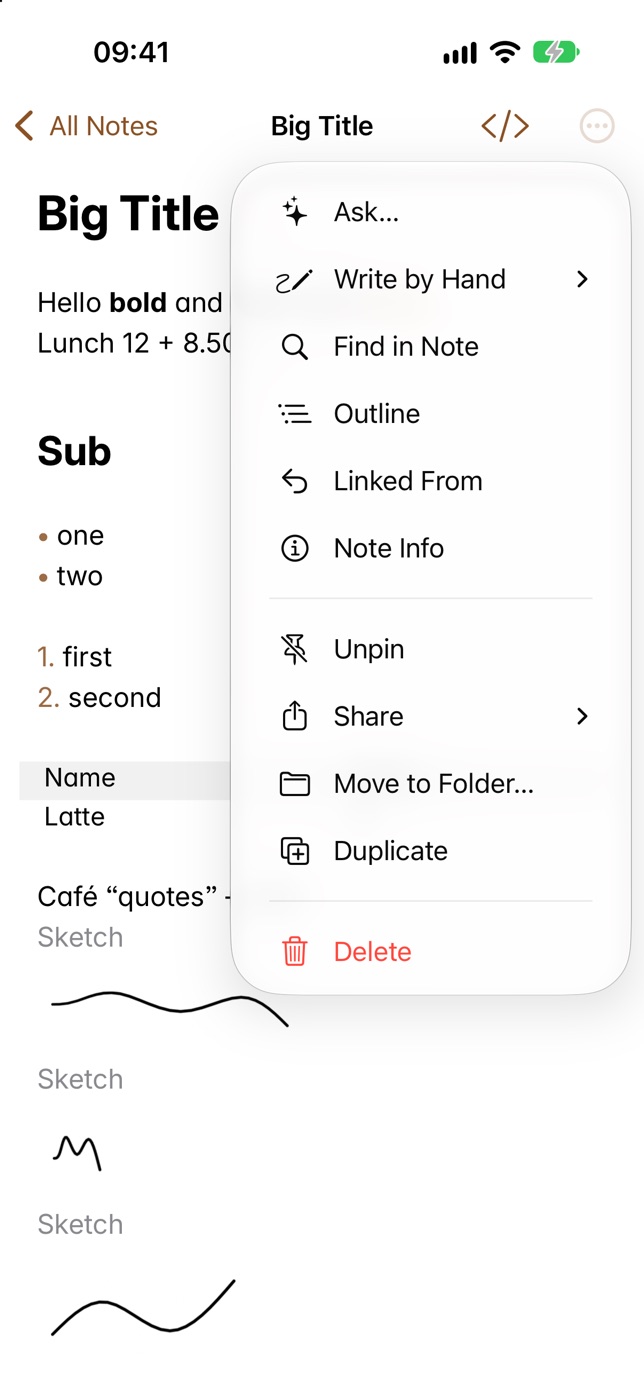
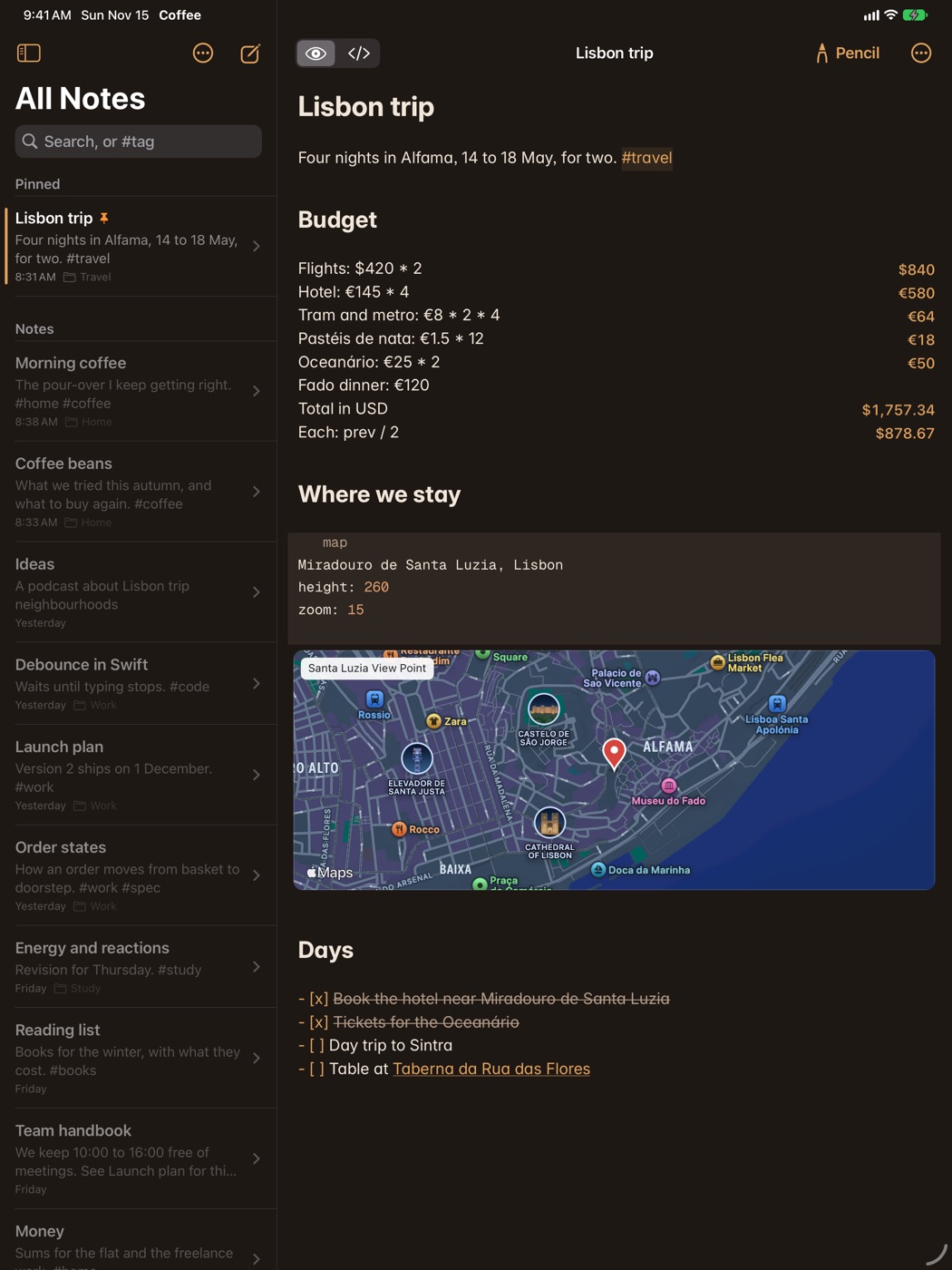
Coffee for iPhone and iPad opens the same plain Markdown notes as the Mac, through iCloud Drive. It's free to download, has the same 14 days free, and one purchase unlocks every device.
Get your notes on it
- Download Coffee from the App Store on your iPhone or iPad.
- On the Mac, open Settings and choose Use iCloud Drive, so your notes move into Coffee's own folder there.
- Open Coffee on the iPhone or iPad. It finds your notes by itself, with your pins and sort order.
If you've bought Coffee, sign in with the same email in Settings, under Account. See devices and iCloud Drive.
What it has
Sums, links and backlinks, tags, maths, Mermaid diagrams, maps, tables, canvases, voice notes, scanning, Ask and themes. Preview and Markdown are one tap apart in the bar: one reads your notes without their marks, the other shows every one. On iPad, Apple Pencil can write by hand, and notes open in several windows, in Split View and Stage Manager.
What stays on the Mac
Plugins, MCP, AI edit review, Git proposals, query blocks, slides, version history and private notes are on the Mac.
Good to know
Ask needs Apple Intelligence on the device. See Ask.