 Coffee
Plugins
Mac
Plugins are small JavaScript add-ons that run on the Mac. You install them from a directory reviewed by Coffee, in one click, and directory plugins are free.
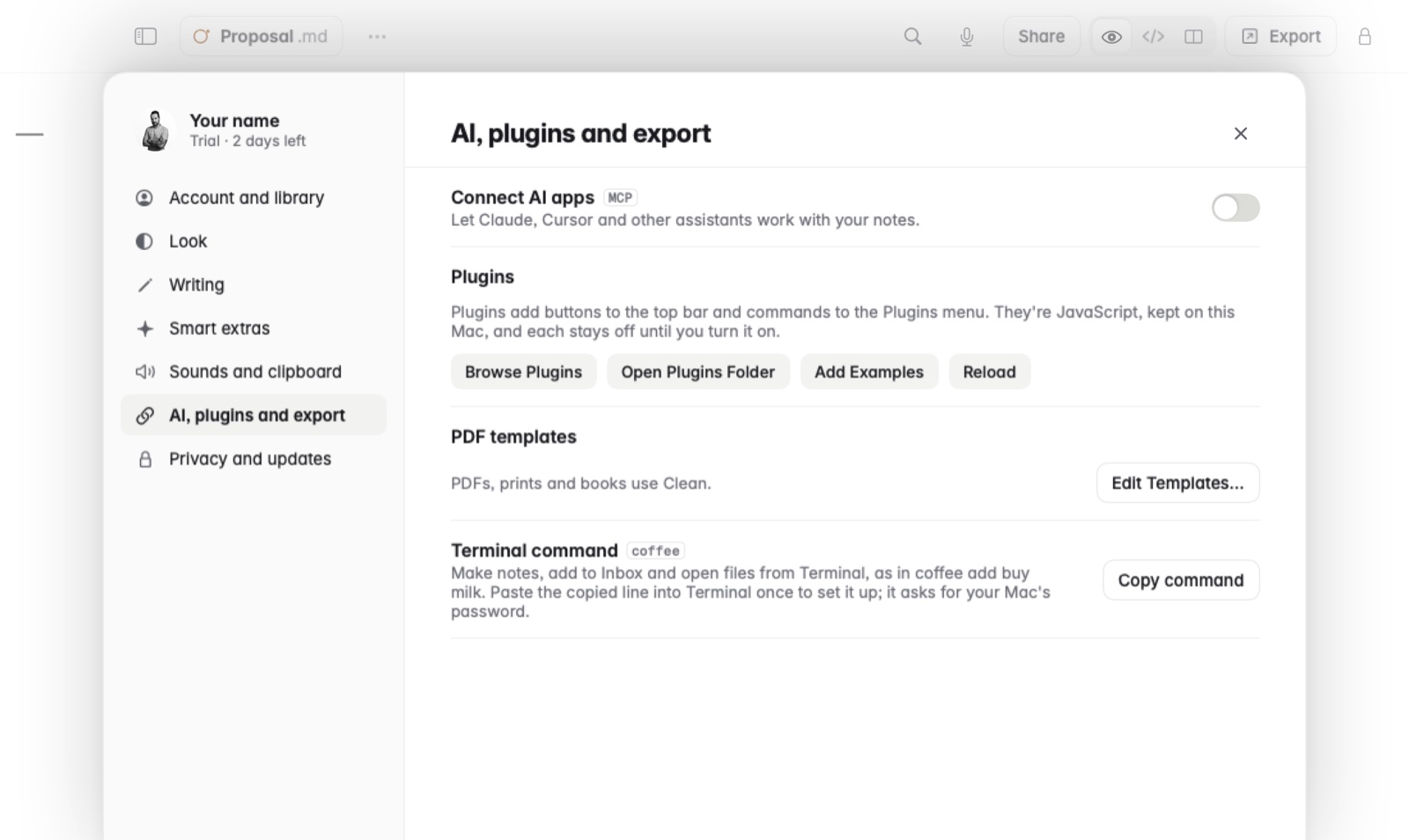
Install a plugin
- Open Settings and go to AI, plugins and export.
- Under Plugins, click Browse Plugins to see the directory.
- Click to install the one you want.
- Read its permissions, shown in plain words: read other notes, change other notes, or connect to a named site.
- Turn it on. Each plugin stays off until you do.
What plugins can add
Plugins can add buttons to the top bar, commands to the Plugins menu, the command palette and the right-click menu, sections in the sidebar, marks in the text, code blocks drawn as pictures, and a settings page of their own.
Example
With the Bar charts plugin on, you type a bars block and Coffee draws it as a chart under it. The note keeps the plain lines.
In Markdown
```bars
Coffee: 12
Tea: 7
Water: 20
```
Good to know
- A plugin can only reach the sites it names, even when a site sends it somewhere else.
- Each version is pinned by a SHA-256 hash. Updates install by themselves, unless a new version asks for more permissions. A banner tells you when updates are waiting, with Review or Update.
- See every plugin, or write your own.