 Coffee
The caret and typing light
Mac
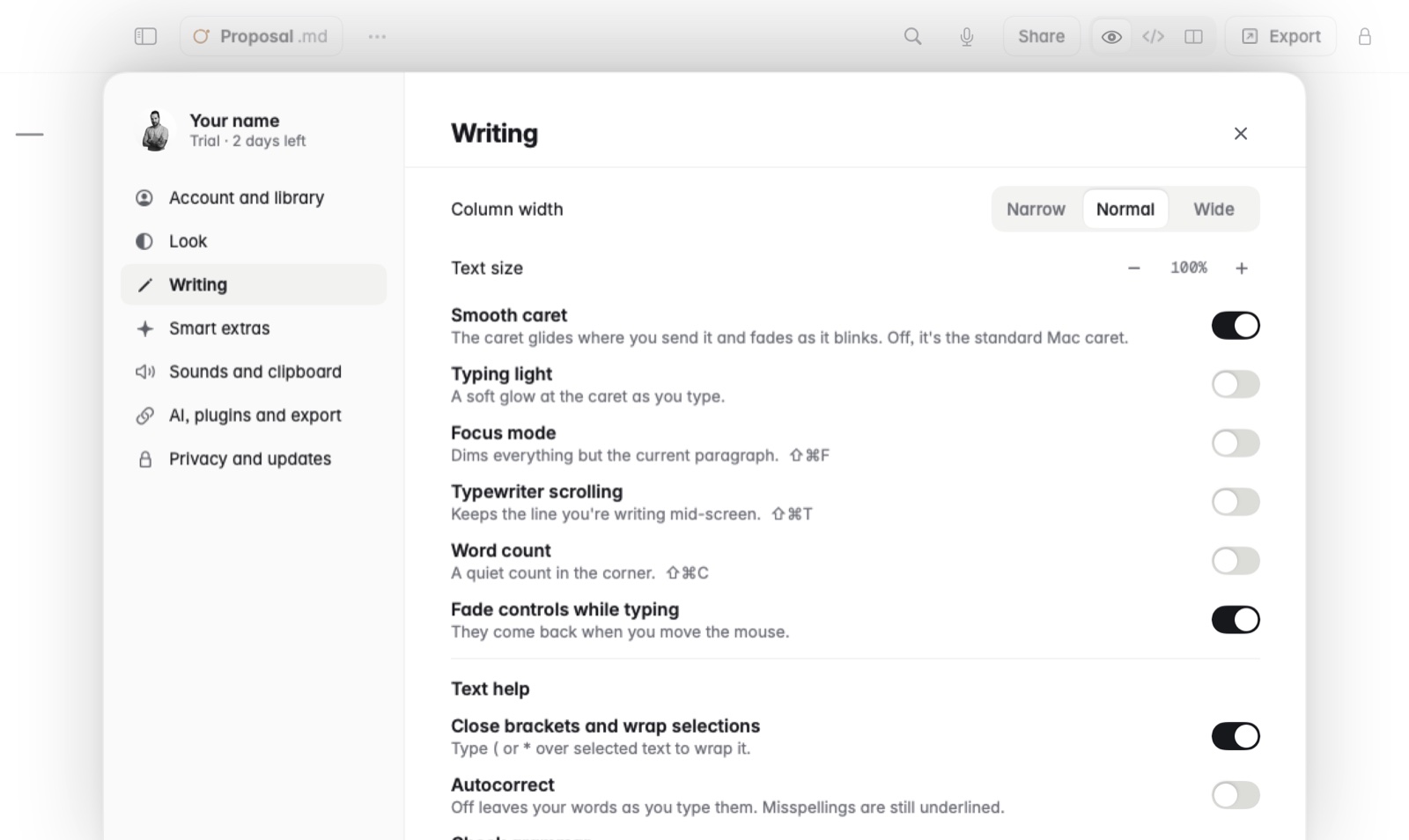
The caret in Coffee is the Mac's own by default. If you like, Settings › Writing can make it glide, add a soft light at the caret as you type, and fade the buttons around the note while you write.
How to
- Open Settings and go to Writing.
- Turn on any of these:
- Smooth caret: the caret glides where you send it and fades as it blinks. Off, it's the standard Mac caret.
- Typing light: a soft glow at the caret as you type.
- Fade controls while typing: the buttons around the note fade out while you write. They come back when you move the mouse.
- Each one changes as soon as you flip it, so you can try it on the note you're writing.
Example
For a calm writing setup, turn on Fade controls while typing and Typing light, then turn on Focus mode (⇧⌘F) in the same place. Only your words and a soft glow stay on the page until you reach for the mouse.
Good to know
See focus and typewriter modes for the other ways to quiet the screen.