 Coffee
Themes
MaciPhone and iPad
Coffee has five built-in themes: Coffee, Espresso, Matcha, Midnight and Paper. On the Mac you can also make your own, with a colour for each part of the app, and share it with someone as one line of text.
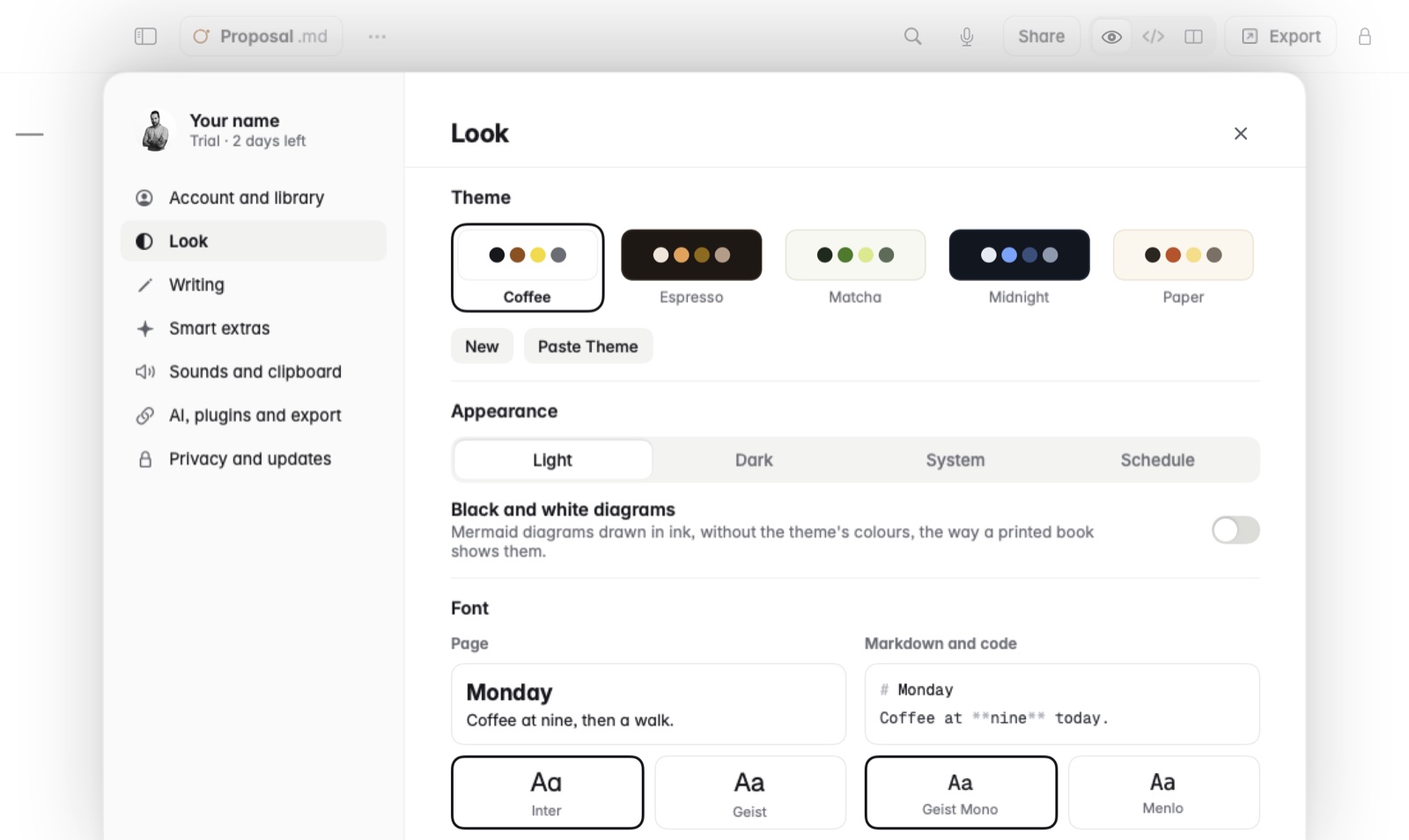
Choose a theme
- On the Mac, open Settings and go to Look.
- Under Theme, click the one you want. The whole app changes at once.
On iPhone and iPad, tap the gear for Settings, and choose under Theme.
A theme other than Coffee sets light or dark itself. The Coffee theme follows the Appearance setting below it: Light, Dark, System, or Schedule.
Switch light and dark on a schedule
- Choose the Coffee theme.
- Under Appearance, choose Schedule.
- Set Light from and Dark from to the times you want. Coffee switches by itself at those times.
Make and share your own theme, on the Mac
- In Settings › Look, under Theme, click New.
- Pick a hex colour for each part of the app. Click Edit later to change it again, and Done when you've finished.
- To share it, choose it and click Copy to Share. That puts the theme on the clipboard as one line of text, ready for a message, a post or a note.
- On the other Mac, copy that line and click Paste Theme in the same place.
Good to know
- Mermaid diagrams are drawn in your theme's colours. Settings › Look › Black and white diagrams draws them in ink instead.
- Themes are colour choices, not CSS files.