 Coffee
Notes in Google Drive, Dropbox or OneDrive
Mac
Your library can live in Google Drive, Dropbox, OneDrive, Box, Synology Drive, Nextcloud, pCloud or another synced folder, through that service's own Mac app.
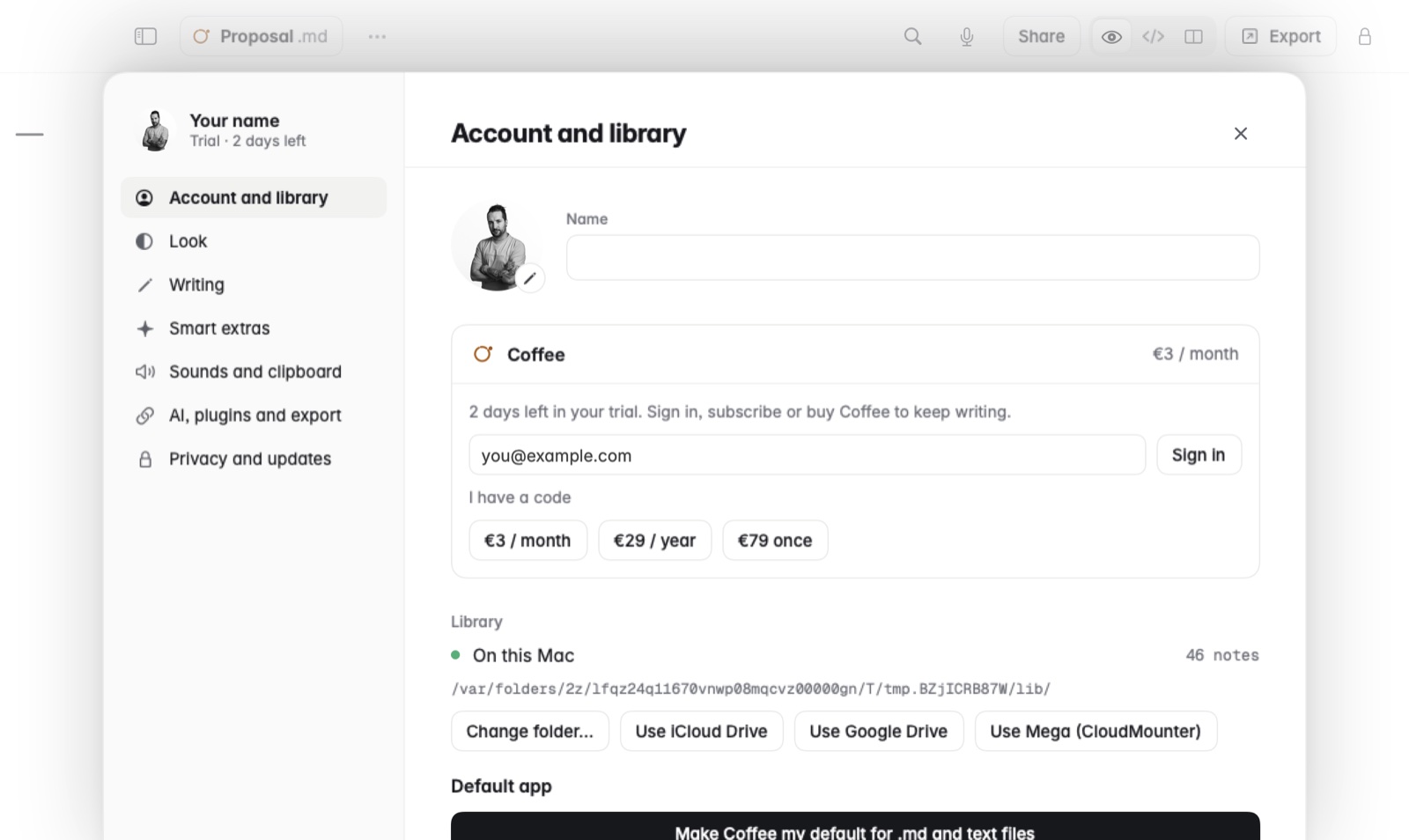
How to move your library there
- Install the service's Mac app and sign in to it, if you haven't already.
- In Coffee, open Settings › Library. Each drive Coffee finds is offered there.
- Choose the drive. Or use Change folder… to pick any folder yourself.
If a drive you use isn't listed, install its Mac app and it shows here.
Good to know
- Coffee doesn't connect to those services' websites. The service's own app keeps the folder in sync, and Coffee reads and writes the files in it.
- Coffee for iPhone and iPad opens the same notes only when they're in iCloud Drive. See Using Coffee on Mac and iPhone together.
- When the drive's app changes an open note, Coffee shows what changed. See Changes made outside Coffee.