 Coffee
Reviewing AI edits
Mac
When an AI tool such as Claude or Cursor, or anything else, edits a note's file outside Coffee, Coffee shows each change in the note. You keep or undo them one at a time.
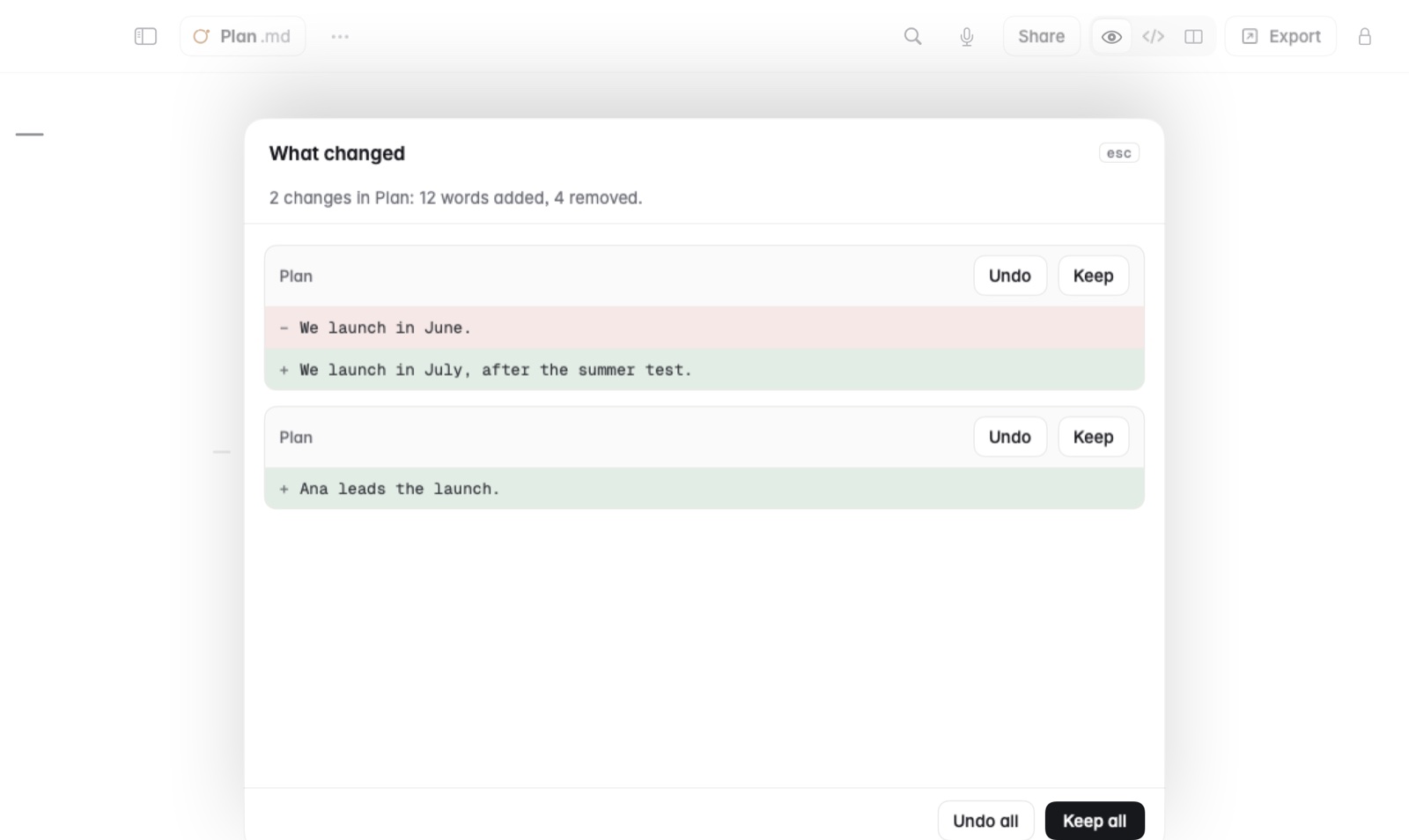
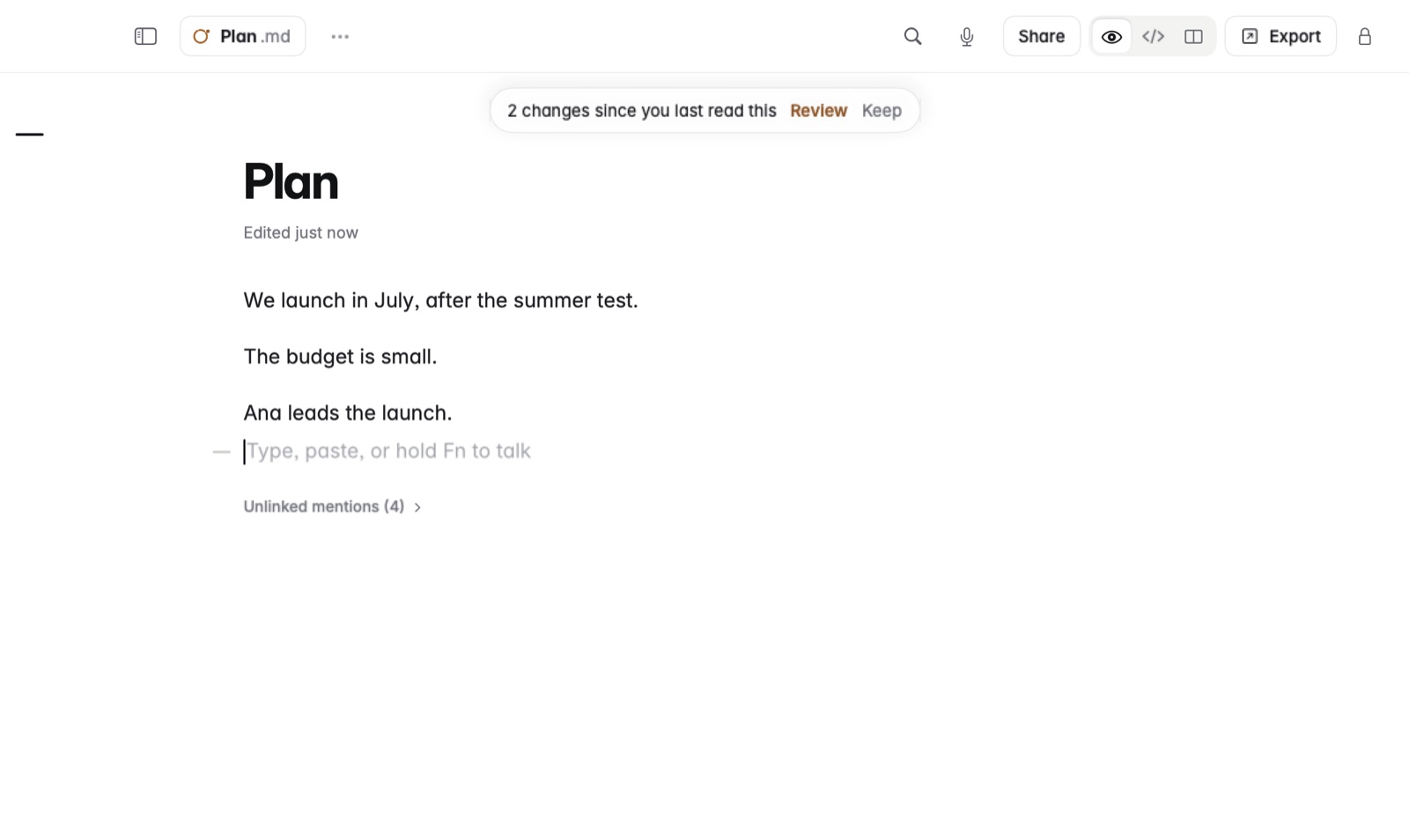
How to review an AI's edits
- Keep the note open in Coffee while the AI tool works on its file.
- When the file changes, Coffee marks each change in the note.
- Read each one and choose Keep or Undo.
- Or choose Keep all or Undo all to settle them at once.
Example
You ask Claude Code to tidy the introduction of Project plan.md. It rewrites two paragraphs and deletes a list of open questions. In Coffee you keep the two new paragraphs and undo the deletion, so the questions come back.
Good to know
- A Git pull or a synced folder's changes are shown the same way. See Changes made outside Coffee.
- Both your text and the new text are kept in the note's version history.
- To let AI apps read and write your notes directly, see Connecting AI apps over MCP.