 Coffee
The sidebar
Mac
The sidebar lists your folders as they are on disk, with your pinned notes, tags and saved searches. View › Toggle Sidebar (⌘\) shows or hides it.
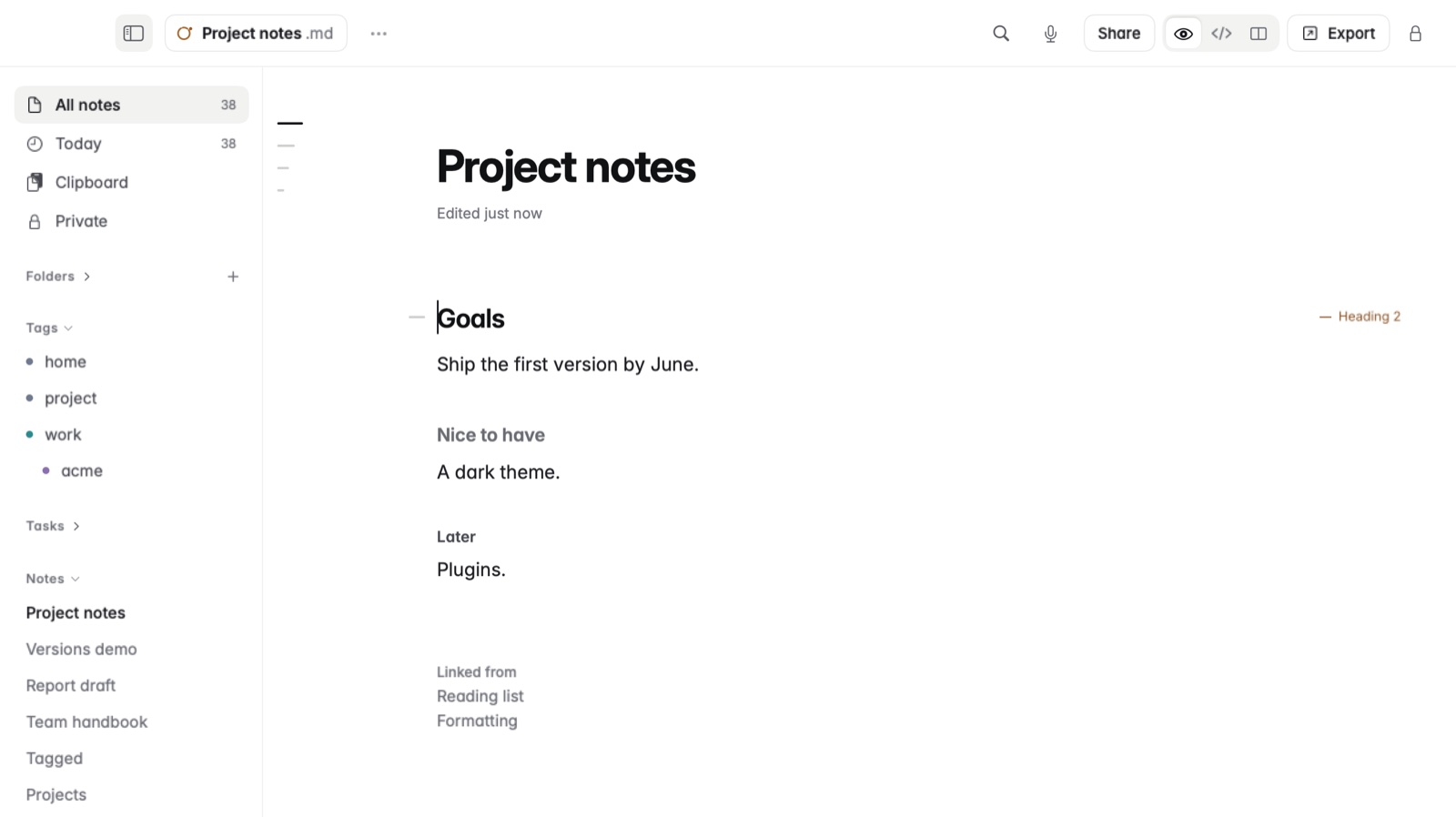
How to arrange the sidebar
- Press ⌘\ to show the sidebar if it's hidden.
- Drag its edge to make it wider or narrower. A double click on the edge puts it back to its usual width.
- Click a section's name to fold it away, and click again to open it.
- Drag sections to put them in the order you like.
How to pin a note and sort a folder
- Open the note you use most, then choose Note › Pin Note. It stays at the top of the sidebar.
- To sort a folder, choose date modified, title or date created for it. Each folder keeps its own order.
Good to know
- Settings › Sidebar when Coffee opens chooses whether the sidebar opens as you left it, open or closed.
- The arrangement is kept in
.coffee/layout.jsonin your notes folder, so it travels with your notes. - Pins, sort order and saved searches come along to your other devices through iCloud Drive. See Using Coffee on Mac and iPhone together.
- A folder whose subfolders hold notes offers to show them.