 Coffee
Similar notes
Mac
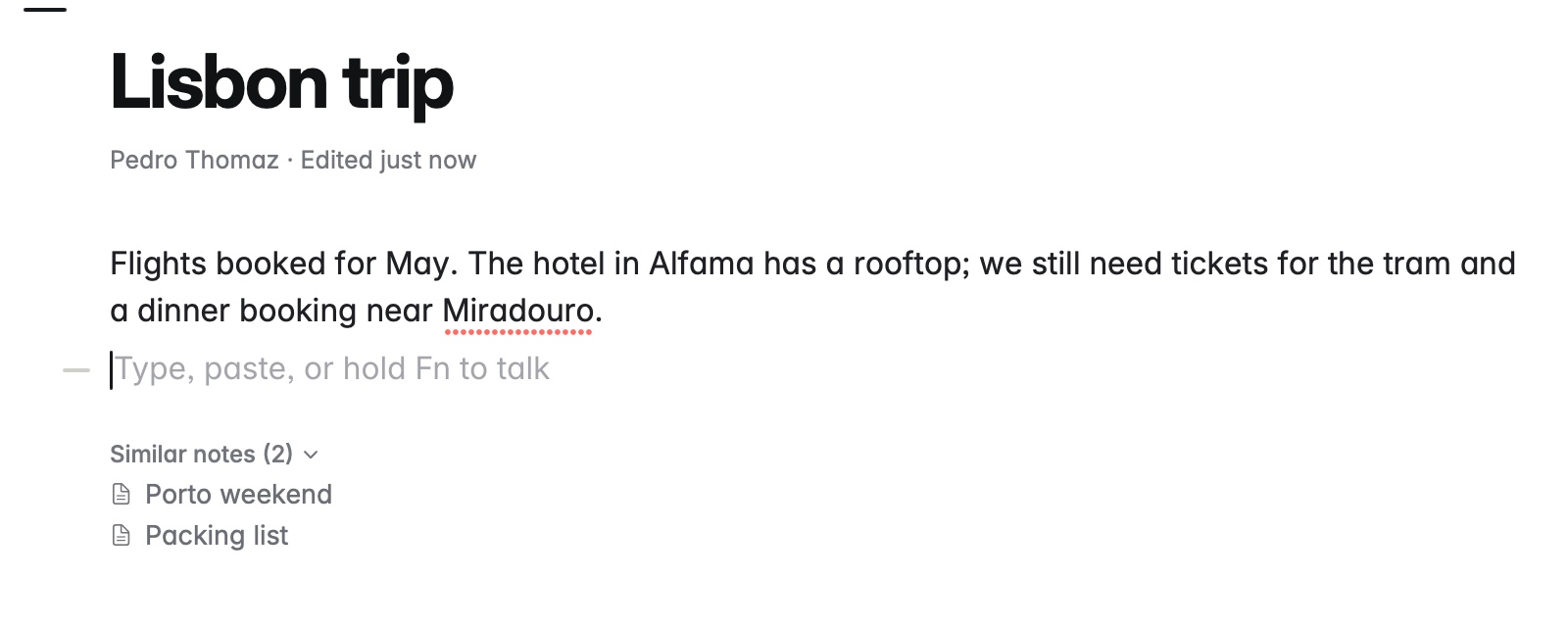
Under Linked from, Similar notes lists other notes about the same things as the one you're in, even when no link joins them. It starts folded, so it stays out of the way until you want it.
How to use it
- Open a note.
- Under the note, click Similar notes to unfold the list.
- Click a note to open it.
Example
Your note Lisbon trip talks about the hotel, tram tickets and a dinner booking. Porto weekend and Packing list use those words too, so both are listed under Similar notes, though neither links to Lisbon trip.
Good to know
- Coffee works it out on your Mac from the words the notes share, weighing words few of your notes use most. Nothing is sent anywhere.
- A note that already links to this one, or that this one links to, shows under Linked from instead, and one that names it shows under the mentions. Private notes are never listed.
- It needs a few sentences to go on, so a very short note may have none. Turning off Linked from in Settings hides it too.