 Coffee
Typed notes
Mac
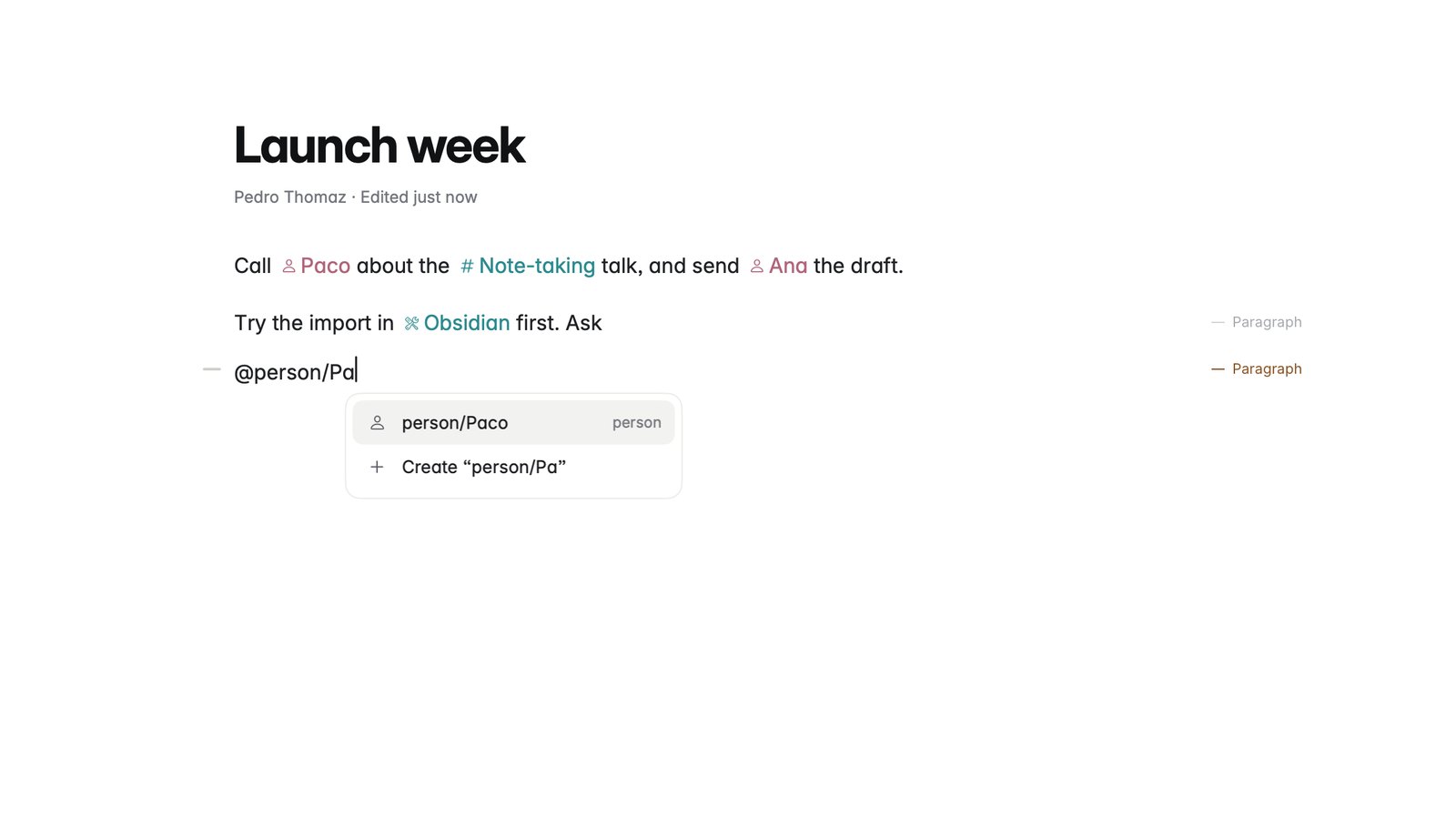
With the Typed notes plugin, a note can be a kind of thing: a person, a topic, a project, or anything you name. Type @person/ and a name to link the note about someone, or to make it.
How to set it up
- Open Settings, go to AI, plugins and export, and click Browse Plugins.
- Install Typed notes and turn it on. It asks to read and change your notes, as it makes new ones.
How to link or make a typed note
- In a note, type @ then a type, a slash and a name, such as @person/Ana.
- Pick the note from the list, or choose Create.
- A type you haven't used yet opens a window: choose its folder, icon, colour and any fields, then click Create.
Coffee puts an ordinary [[Ana]] link where you typed. A new note goes in its type's folder, such as People, with the type in its front matter.
Example
In Markdown
---
type: person
website:
---
In Coffee Preview
That's the start of People/Ana.md. In your notes, [[Ana]] is drawn in the type's colour with its icon.
Good to know
- Plugins › New Type… adds a type before you use it.
- The note is a plain Markdown file and the link a plain
[[link]], so other apps read both. The icon and colour are only drawn in Coffee. - A note you write
type: bookinto yourself counts too, once it's saved. - Nothing is offered in a private note.