 Coffee
Formatting text
MaciPhone and iPad
Type Markdown and Coffee formats it as you go: **bold**, *italic*, ~~strikethrough~~, ==highlight==, and backticks around code.
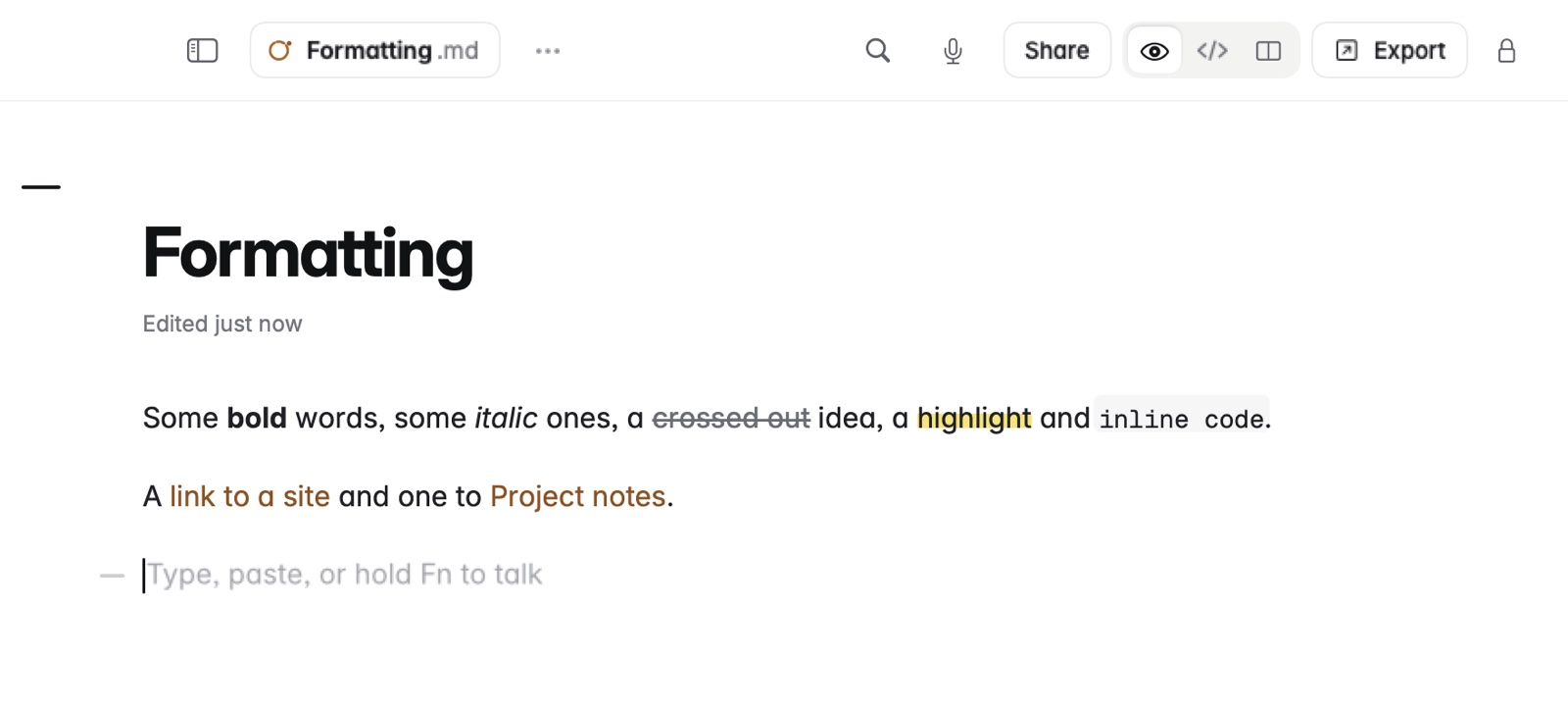
How to format on the Mac
Select some words, then choose from the Format menu, or press the keys:
- Bold (⌘B), Italic (⌘I), Strikethrough (⇧⌘X) or Highlight (⇧⌘H).
- Inline Code (⌃⌘C) for a word of code.
- Link (⇧⌘L) to make the words a link.
Headings 1 to 4 are ⌥⌘1 to ⌥⌘4, and ⌥⌘0 makes a line a paragraph again.
How to format on iPhone and iPad
The bar above the keyboard has headings, bold, italic, code, strikethrough and highlight. Select words and tap one.
Example
In Markdown
The flight is **Friday at 9:40**, not *Thursday*.
~~Window seat~~ Aisle seat, and ==bring the booking code==.
Run `brew update` before you leave.
In Coffee Preview
The flight is Friday at 9:40, not Thursday.Window seat Aisle seat, and bring the booking code.
Run brew update before you leave.
Good to know
Every shortcut is on the shortcuts page.