 Coffee
Links between notes
MaciPhone and iPad
Type [[ and the name of a note to link to it. Coffee offers names as you type, and the link opens that note.
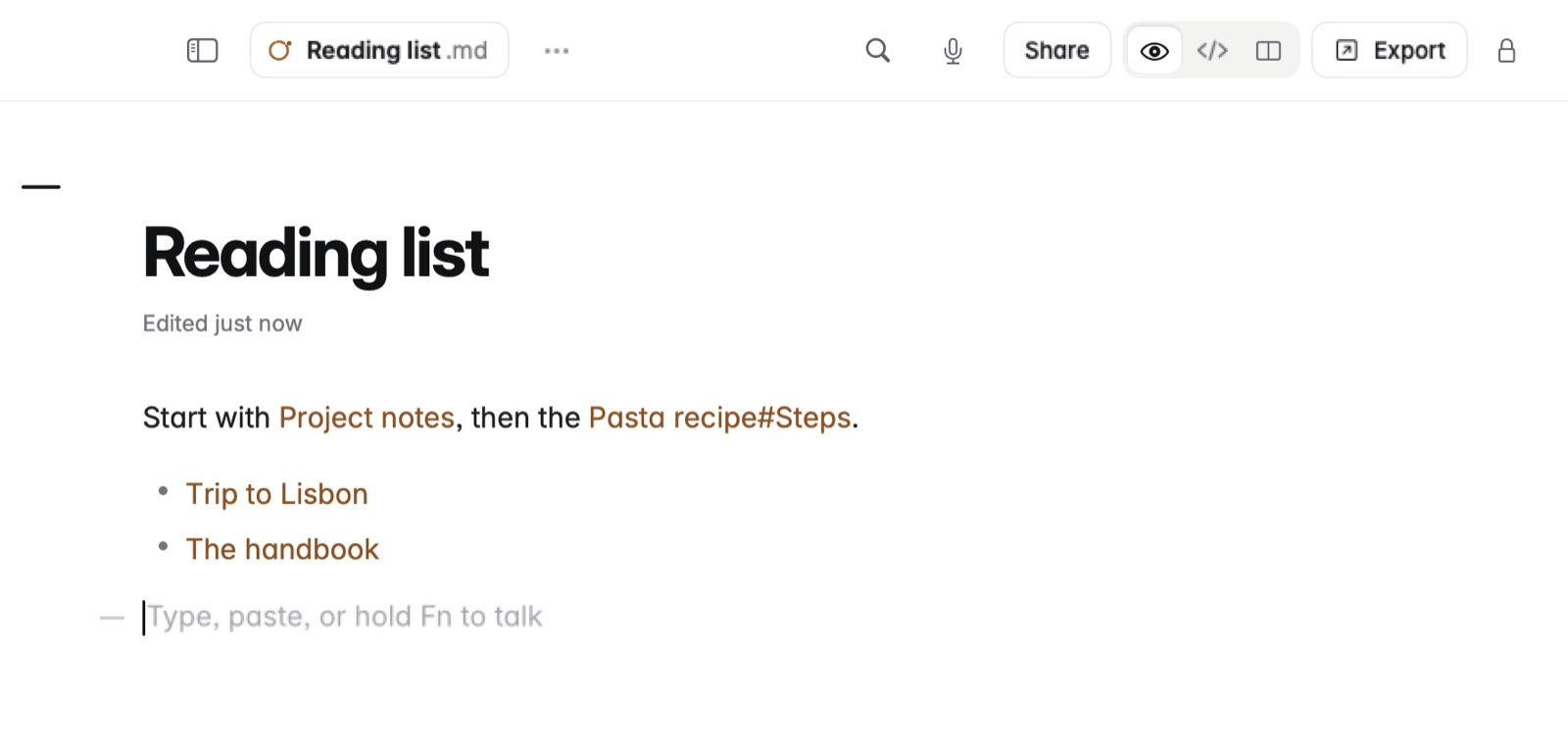
How to link to a note
- Type
[[. A list of your notes appears. - Keep typing to narrow it, and choose one.
- On the Mac, Command-click the link to follow it. Rest the pointer on a
[[link]]to see the start of that note.
Other ways to link
[[Note#Heading]]links to a heading in another note.[[#Heading]]links to a heading in the same note.[[Note|other words]]shows other words instead of the note's name.- Markdown links work too:
[text](other.md),[text](https://internal.invalid/help/heading)and[text](other.md#part)open inside Coffee.
Example
In Markdown
Flights are in [[Lisbon trip]].
Hotel details: [[Lisbon trip#Where to stay|where we're staying]].
In Coffee Preview
Flights are in Lisbon trip.
Hotel details: where we're staying.
Good to know
- Notes that link to the one you're in are listed under Linked from, with mentions that aren't links yet. See Backlinks and mentions.
- Renaming a note in Coffee updates the links to it.