 Coffee
Style check
Mac
View › Style Check marks filler words and repeated words as you write. Rest the pointer on a mark to see why.
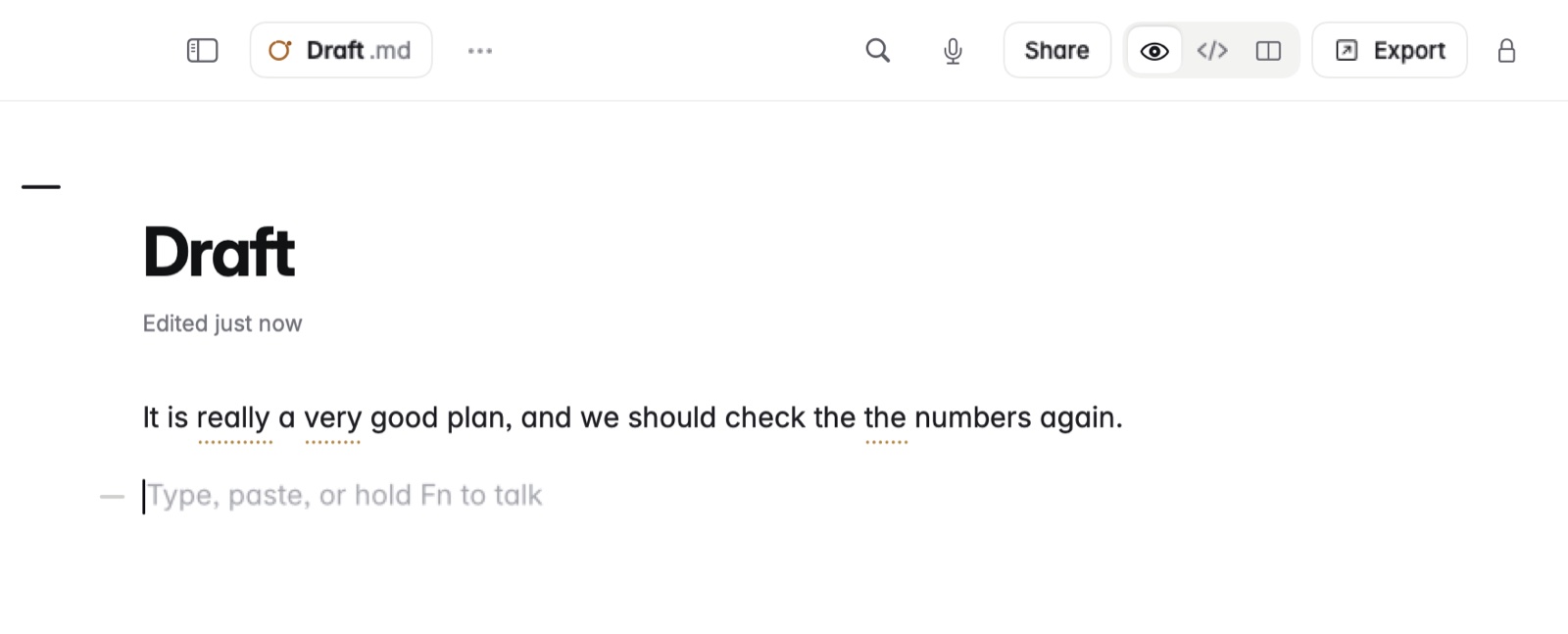
How to use it
- Choose View › Style Check.
- Write as usual. Words worth a second look are marked.
- Rest the pointer on a mark to see the reason, and change the words if you agree.
Grammar and autocorrect
- Check grammar, in Settings › Writing, is off by default.
- Autocorrect is off by default too, and can be turned on in Settings › Writing.
Good to know
The marks never go into the file.