 Coffee
Journal
Mac
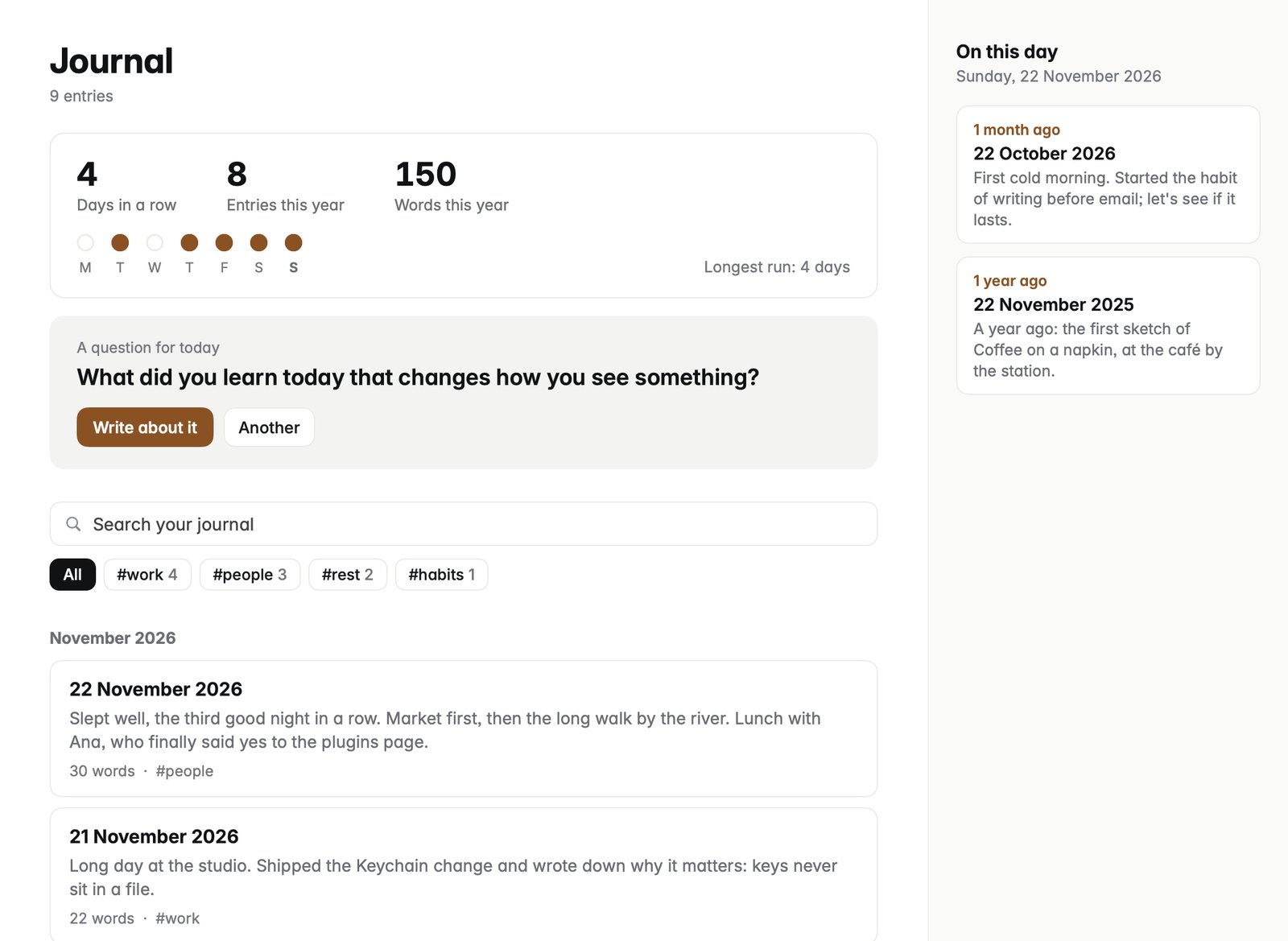
Window › Journal shows your daily notes in one place: how many days in a row you've written, a question to write about, what you wrote on this day in past years, and every entry by month.
How to use it
- Choose Window › Journal.
- Click Write about it to open today's entry, or make it, with the question added at the end. Another shows a different question.
- Click any entry to open it. Search and the tag buttons narrow the list.
Every note titled with a date is an entry, like the ones File › Today's Note makes. "22 November 2026", "November 22, 2026" and "2026-11-22" all count.
Good to know
- At the top: days in a row, your longest run, a dot for each day of this week, and this year's entries and words.
- On this day shows what you wrote on the same date a month, three months, six months and one, two and three years ago.
- The question stays the same all day.